

Training and courses
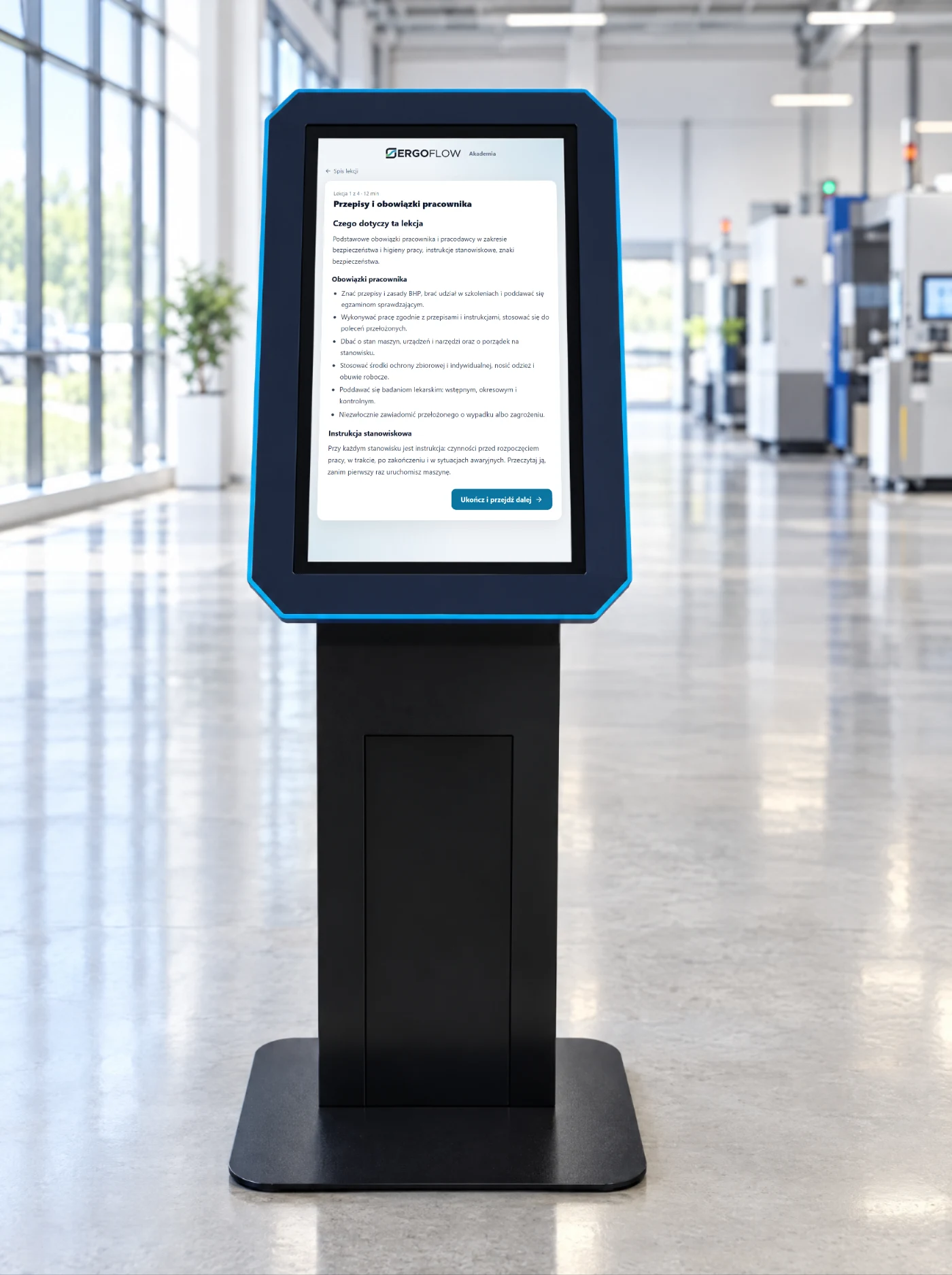
A lesson from the Academy, a test at the end, the result straight in the employee’s record. Periodic training where the regulations allow guided self-study.
A touchscreen where the employee has no computer. They log in with a badge or PIN and have in front of them what they currently deal with through the OHS officer or in the office: training, instructions, a report, a collection. We have ready-made programs, and when the process is different, we write a kiosk application for your needs.
We have our own ready-made programs, and we write custom ones: each tile is a separate kiosk application, built for the process that works at your site. You choose which ones make sense.
A lesson from the Academy, a test at the end, the result straight in the employee’s record. Periodic training where the regulations allow guided self-study.
Always the current version of the instruction, the safety data sheet, the machine operating manual. Acknowledgement of reading with date and time.
The driver checks in on their own: registration number, delivery, safety briefing for outsiders, consent and pass. The gatehouse sees the queue.
A pre-shift checklist or an inspection round: point by point, a photo of the defect from the kiosk camera, a signature. The result goes into the report.
The employee reports a hazardous situation in three steps: where, what, photo. The OHS officer gets a notification, and the report has a status.
A post-training question, a workstation assessment, a mood survey on the shift. Anonymous or with a badge, depending on the purpose.
A kiosk next to the vending machine: the employee sees what they are entitled to and how much is left, and the machine issues on the same badge.
Sizing at the kiosk instead of on the phone, an order preview and a signed receipt for the collection of workwear.
Shift announcements, the evacuation plan, the procedure in the event of a breakdown. Between programs, the kiosk shows what the OHS officer wants to communicate.
Click to enlarge. Training and sizing are screens from our applications; the others show how we design kiosk programs — sample data.
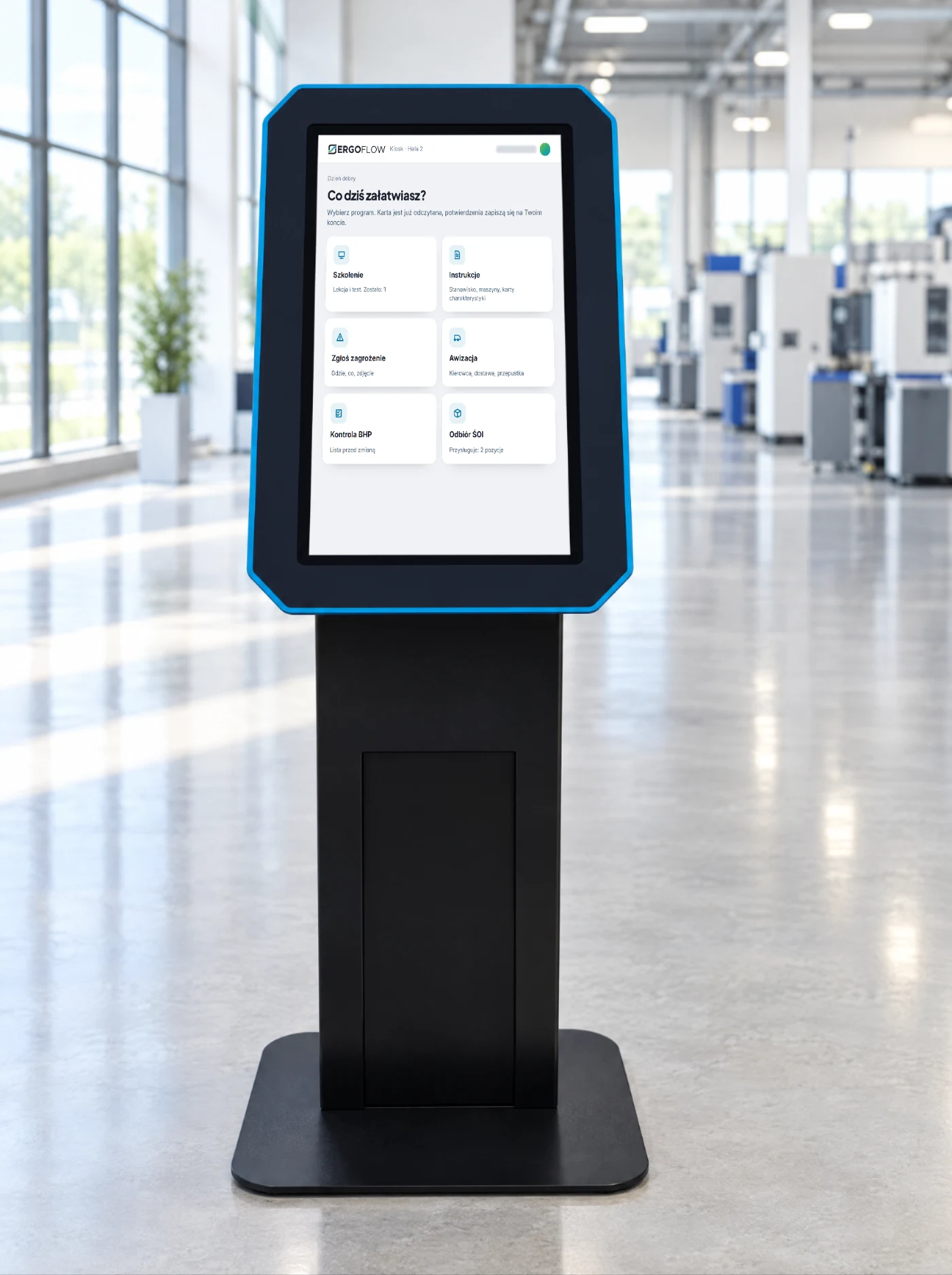
After tapping their badge, the employee sees only the programs enabled for them.
A lesson and a test at the end. The result goes to the employee’s record in the OHS app.
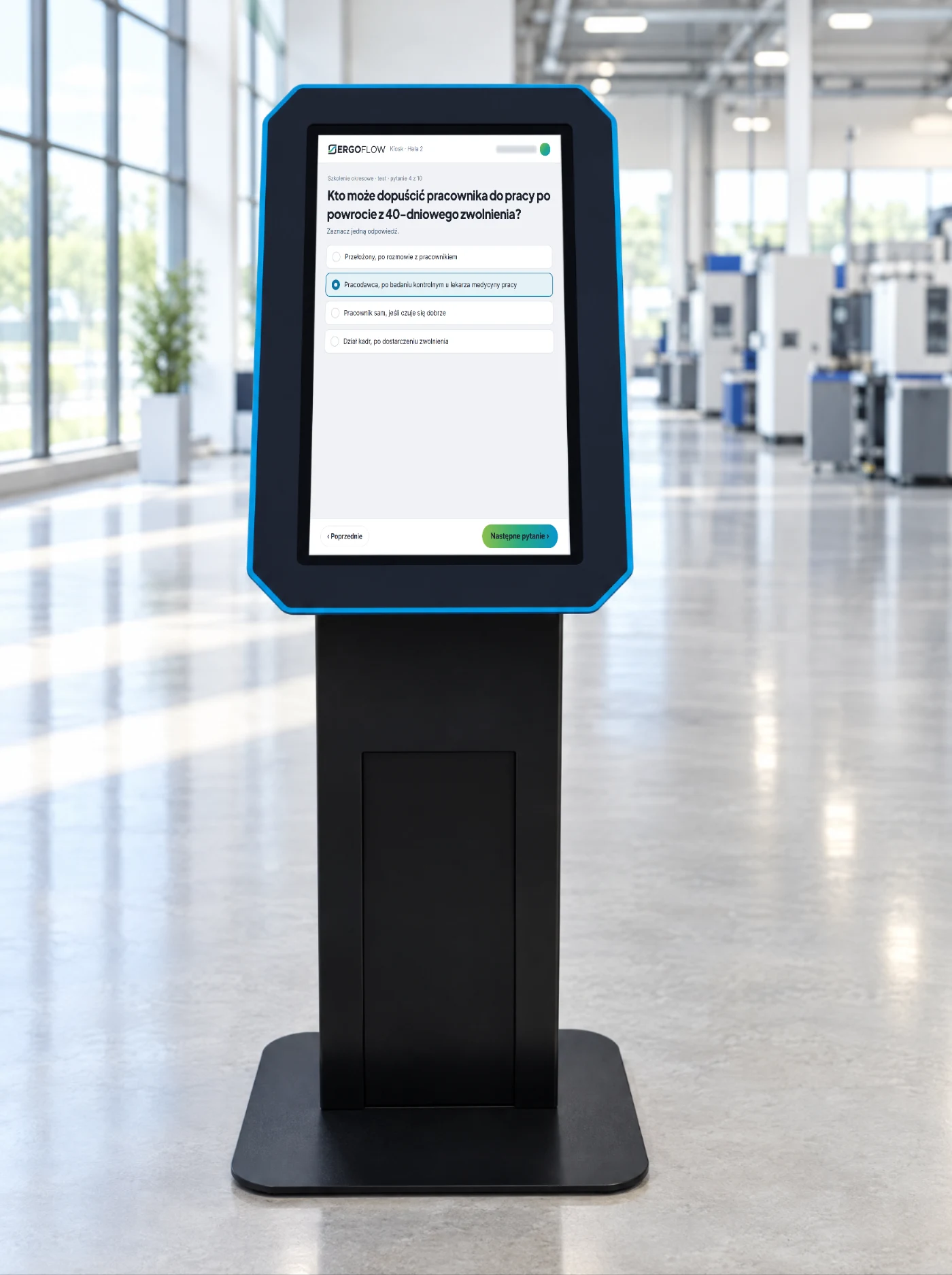
Questions from the lesson, one answer, the result straight away. The application generates the certificate.
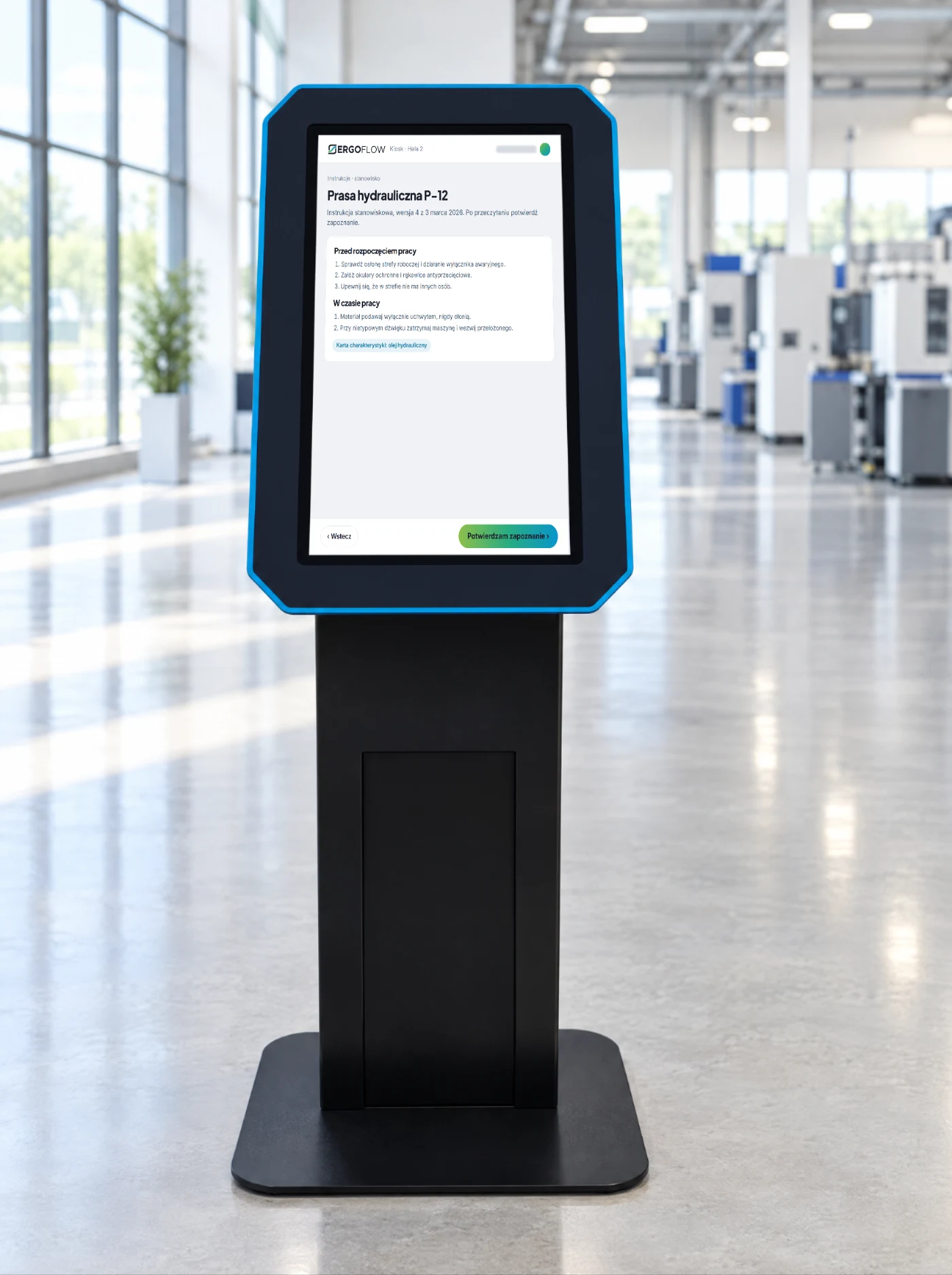
The current version with its date, the safety data sheet at hand, acknowledgement signed with the badge.
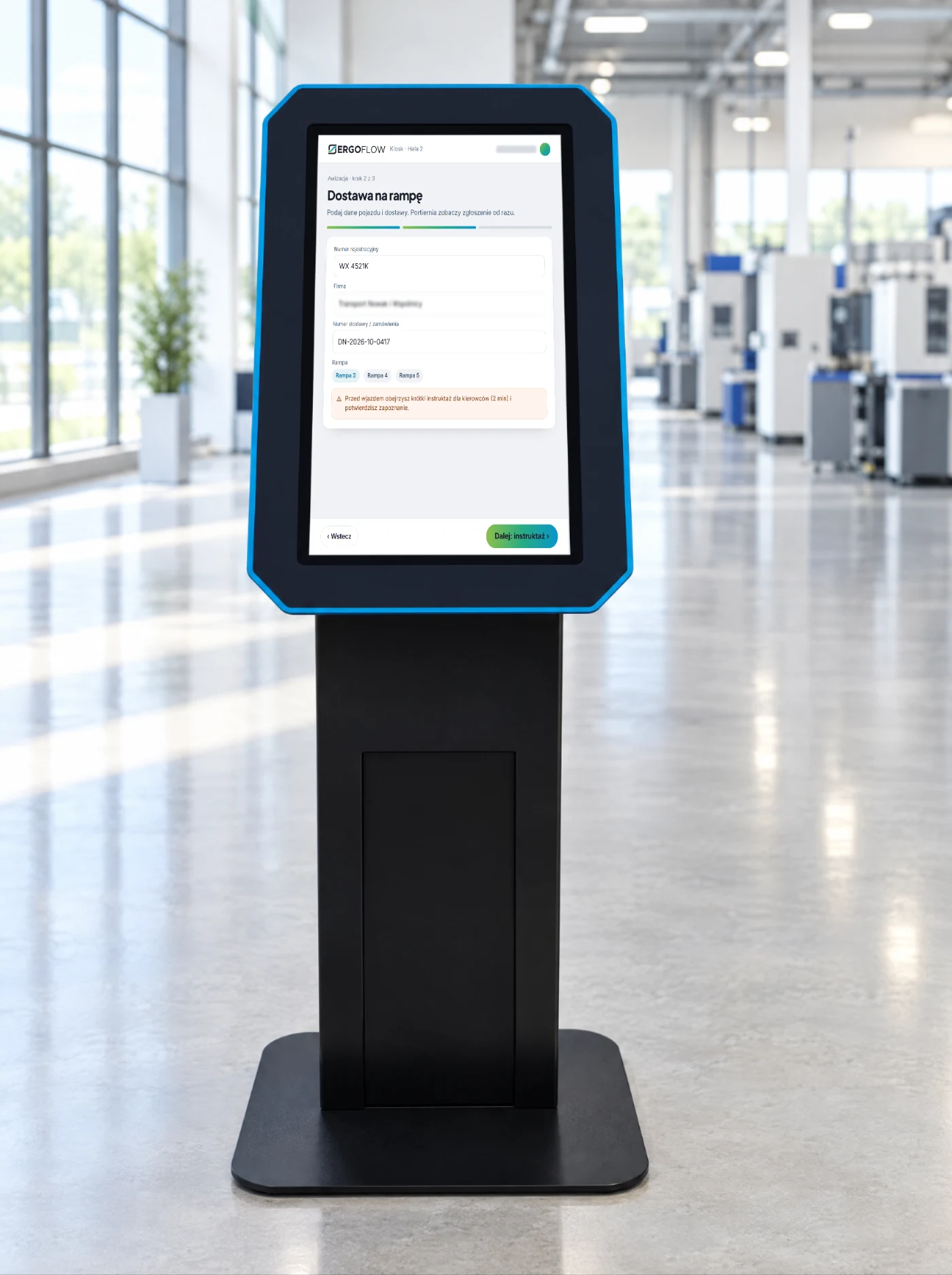
Registration number, delivery, loading bay, safety briefing for outsiders. The gatehouse sees the entry straight away.
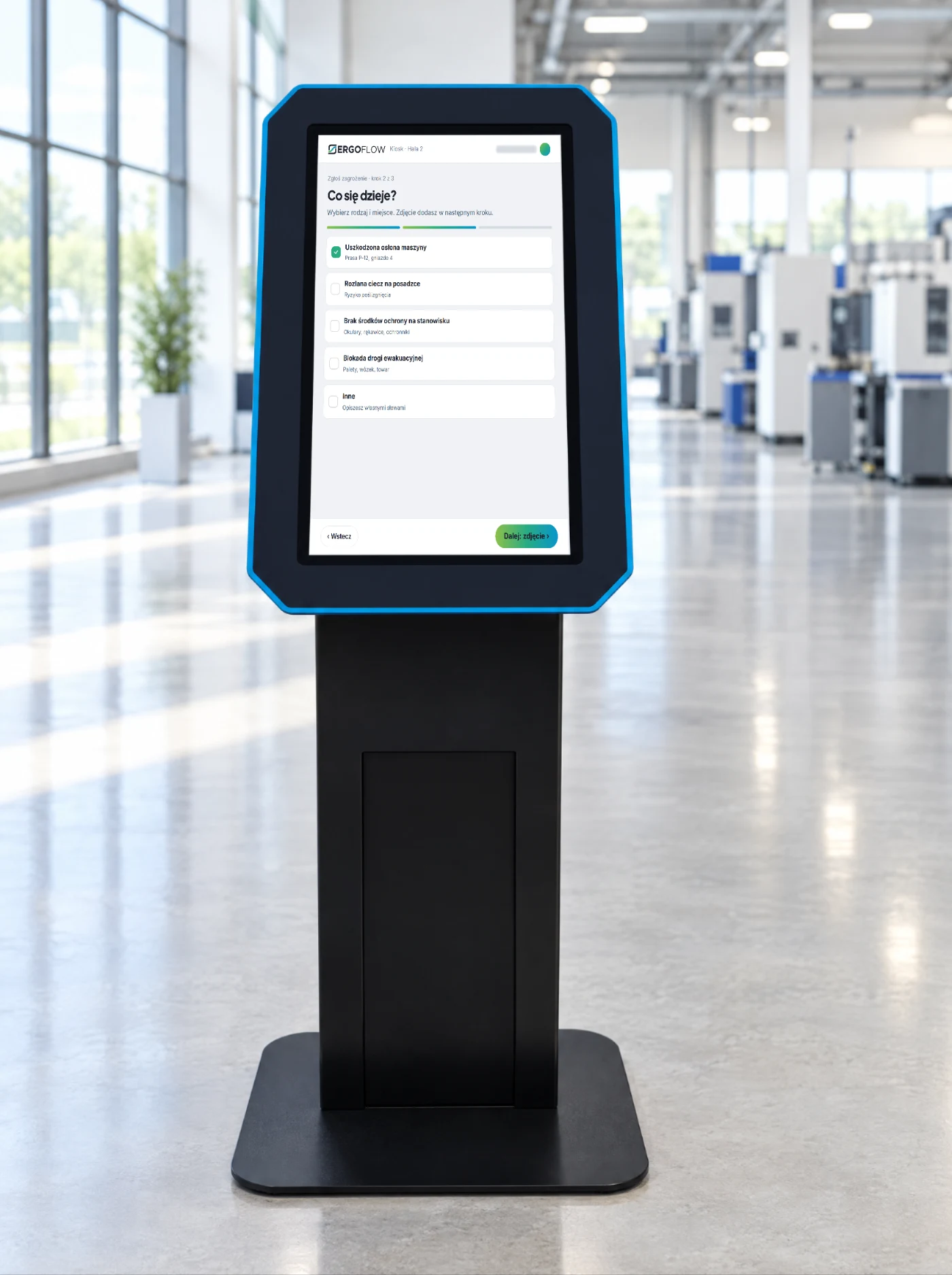
Type, location, a photo from the kiosk camera. The OHS officer gets a notification, and the report has a status.
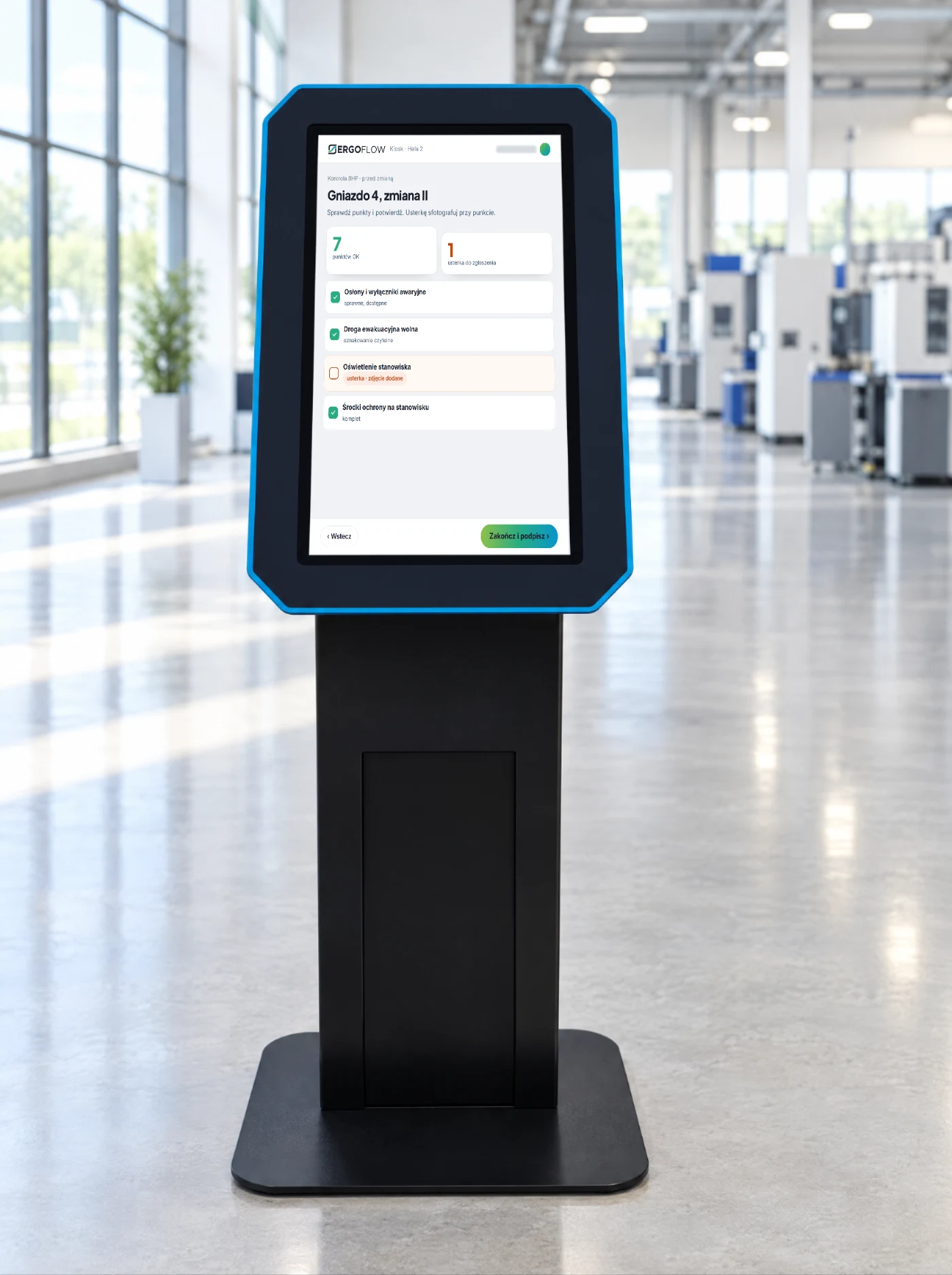
A checklist for the work cell, the defect with a photo, a signature. The result goes into the report.
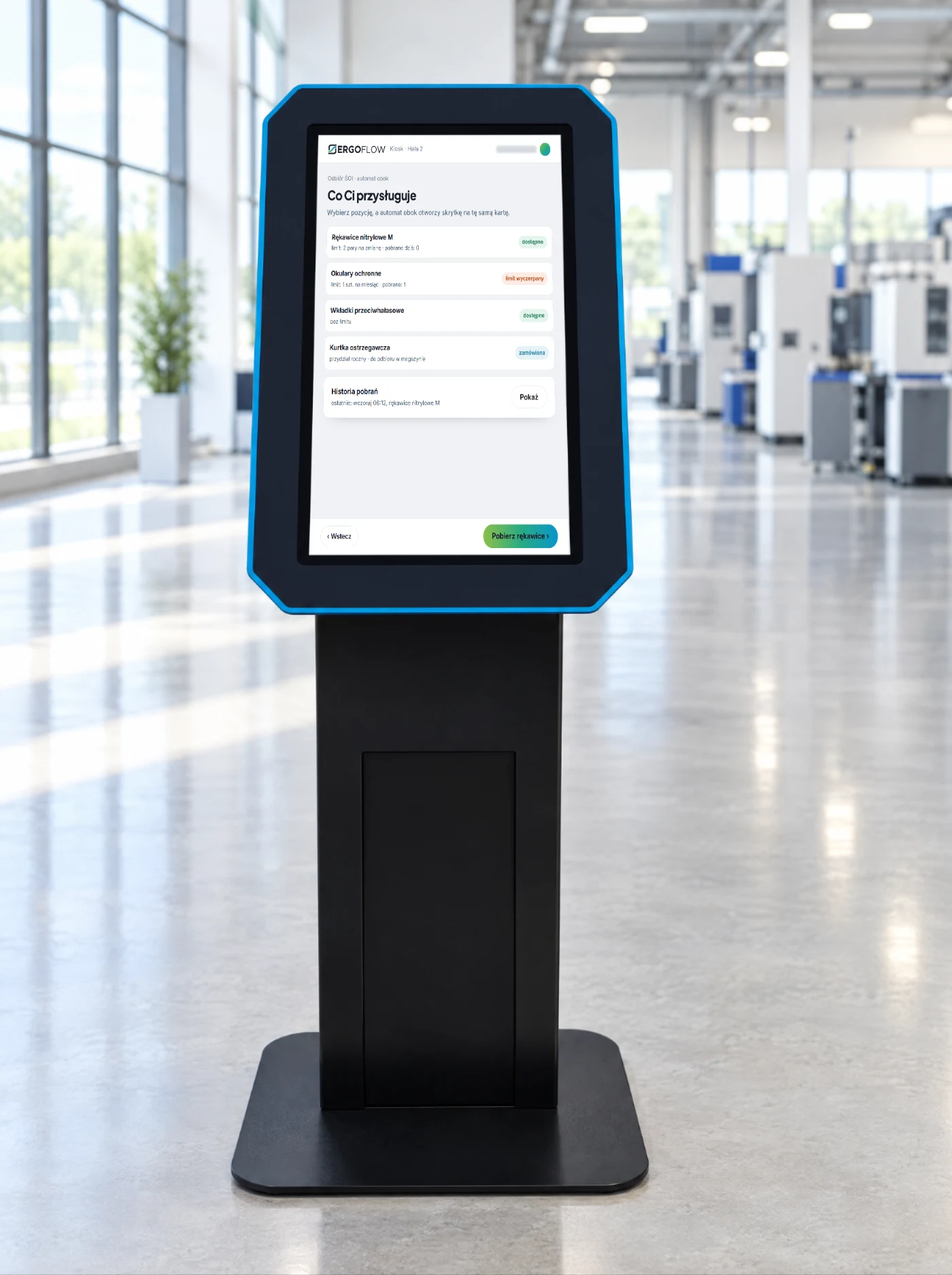
What the employee is entitled to and how much of the allowance is left; the vending machine next to it issues on the same badge.
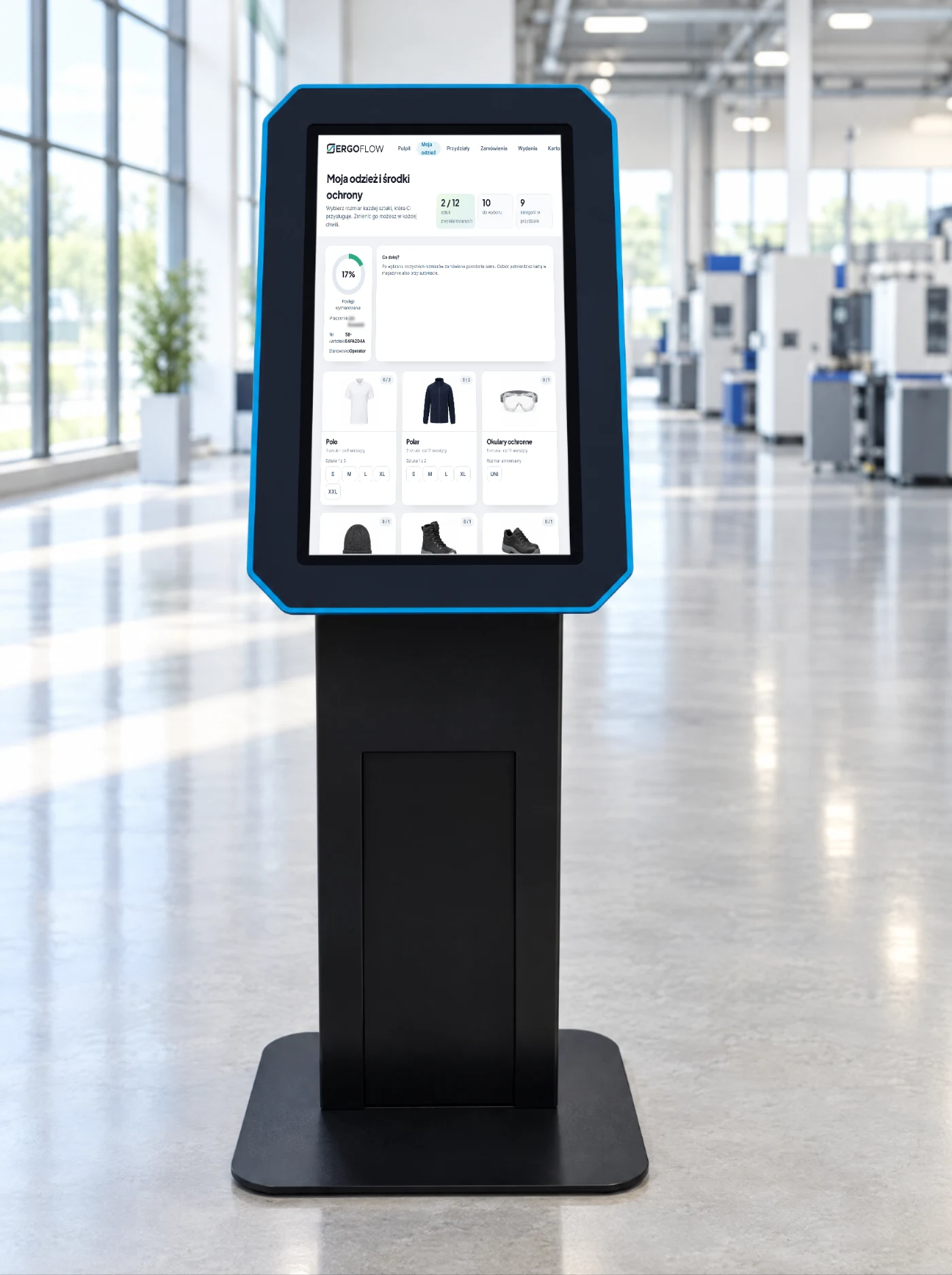
The employee sees a photo of each item in their allocation and chooses the size. The order is created automatically.
A free-standing kiosk at the entrance to the shop floor, a wall panel by the workstation or a tablet in the changing room. The card reader is the same as in the vending machines, so one employee badge opens everything.
Yes. We have our own ready-made programs (training, instructions, reports, check-in, PPE collection, sizing), but just as often we write an application for the process of a specific plant: from the mock-up, through the program and integrations, to installation on the shop floor. We agree the scope and timing after a conversation with the OHS officer.
No. We write the kiosk program separately; we connect it with the OHS app, the vending machines or your system where the result needs to go somewhere. The kiosk on its own, with instructions and surveys, works independently.
Log in with a PIN or with a QR code from a printed card. For visitors and drivers, the kiosk creates a temporary ID for the duration of the visit.
It does not replace it, it takes the load off it. The driver enters their details and completes the safety briefing on their own, and the gatekeeper sees a ready-made entry and decides whether to let them in.
We show the first program with a mock-up a few weeks after the conversation; the timing depends on the number of programs and integrations. Specifics after the audit.
An hour with the OHS officer. We show the kiosk, the app and the vending machine using your examples. The result is a list of programs to start with.