

SeedRM — CRM for sales reps
SeedRM is our CRM for field sales teams: accounts on a map, an event timeline for every contact, an opportunity pipeline on a kanban board, tasks and calendar, activity and target reports, satisfaction surveys. We roll it out at customers and tailor it to their sales process.
- Accounts on a map
- Contact activity timeline
- Opportunity pipeline
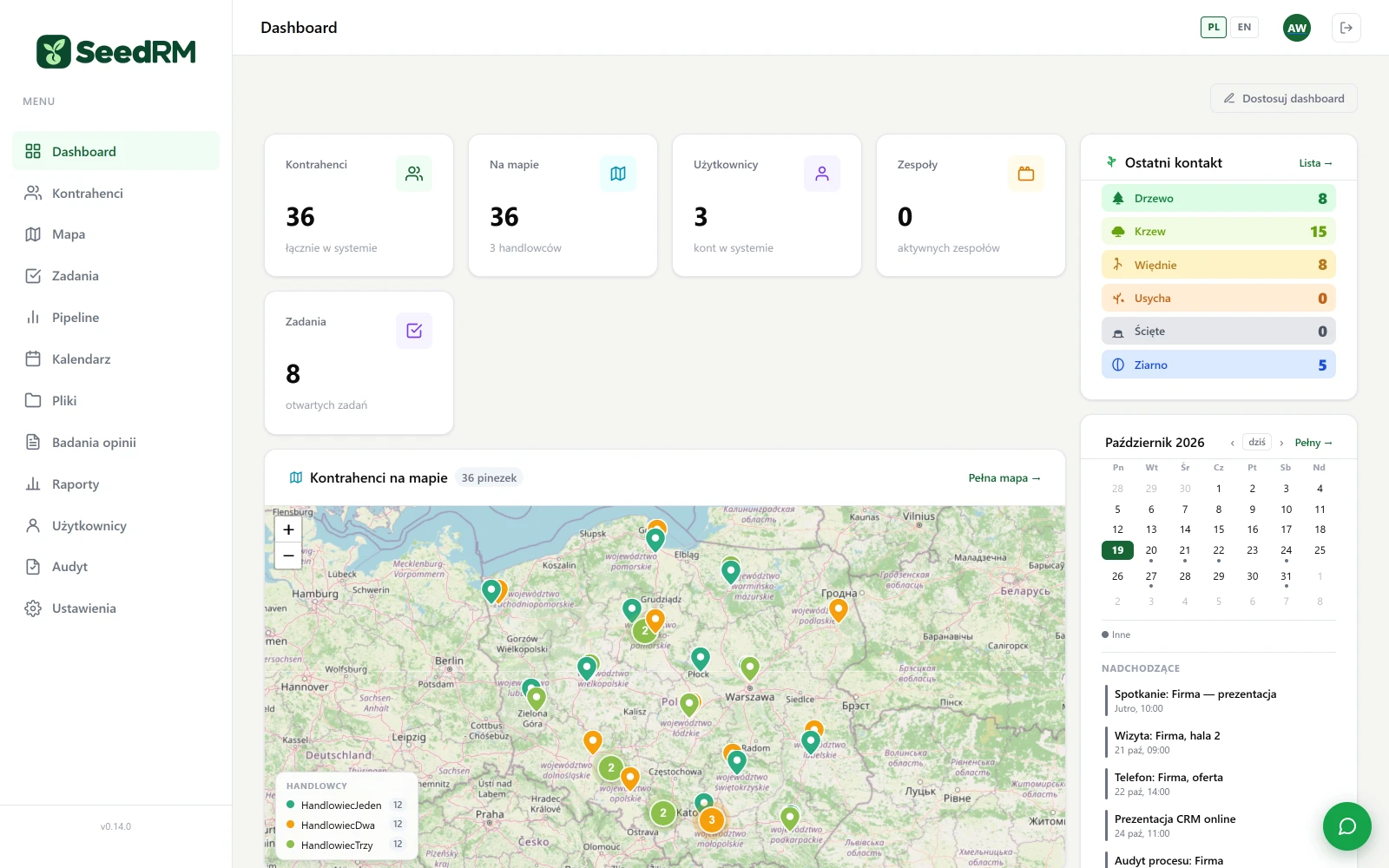
SeedRM was built for companies where sales are handled by a few field sales reps and customer knowledge lives in their phones and notebooks. A single account record holds everything: addresses and branches on the map, people and phone numbers, the activity timeline (conversations, visits, comments, e-mails), opportunities and tasks. The last-contact indicator shows at once who the team has forgotten about.
The pipeline takes opportunities through fixed stages from lead to win, with value, probability and forecast. Reports track each sales rep's activity and targets, and satisfaction surveys give a picture of service from the customer's side. Import from a spreadsheet and company lookup by tax ID (NIP) in GUS cut the rollout down to days, not months.
Key benefits
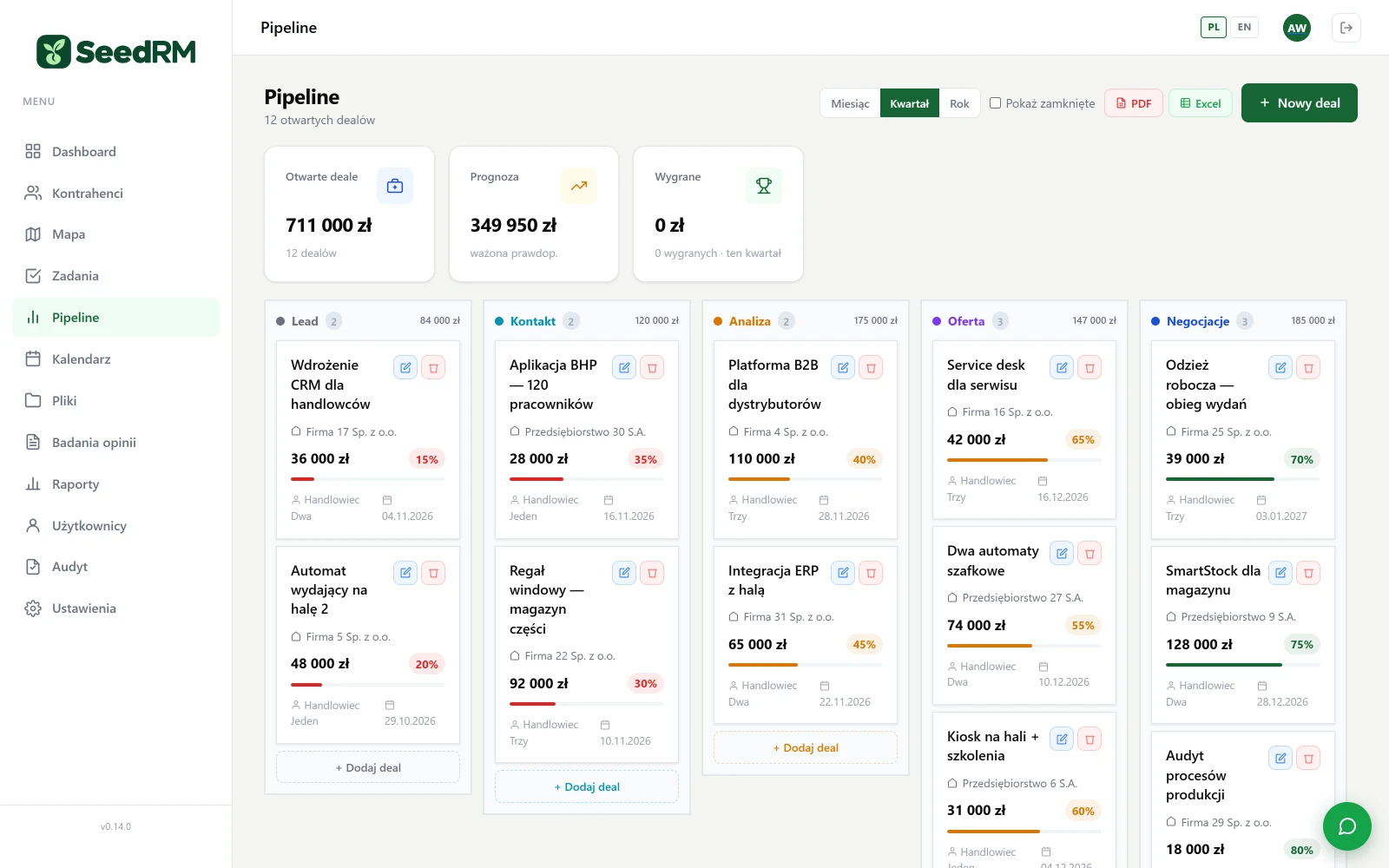
From lead to win, without a spreadsheet
Each opportunity has a value, probability, close date and owner. The columns show the total per stage, the header shows the weighted forecast. Closed opportunities stay in the reports.
- Drag and done changing the stage is one move, no form.
- Month, quarter, year the same view over three horizons, export to PDF and Excel.
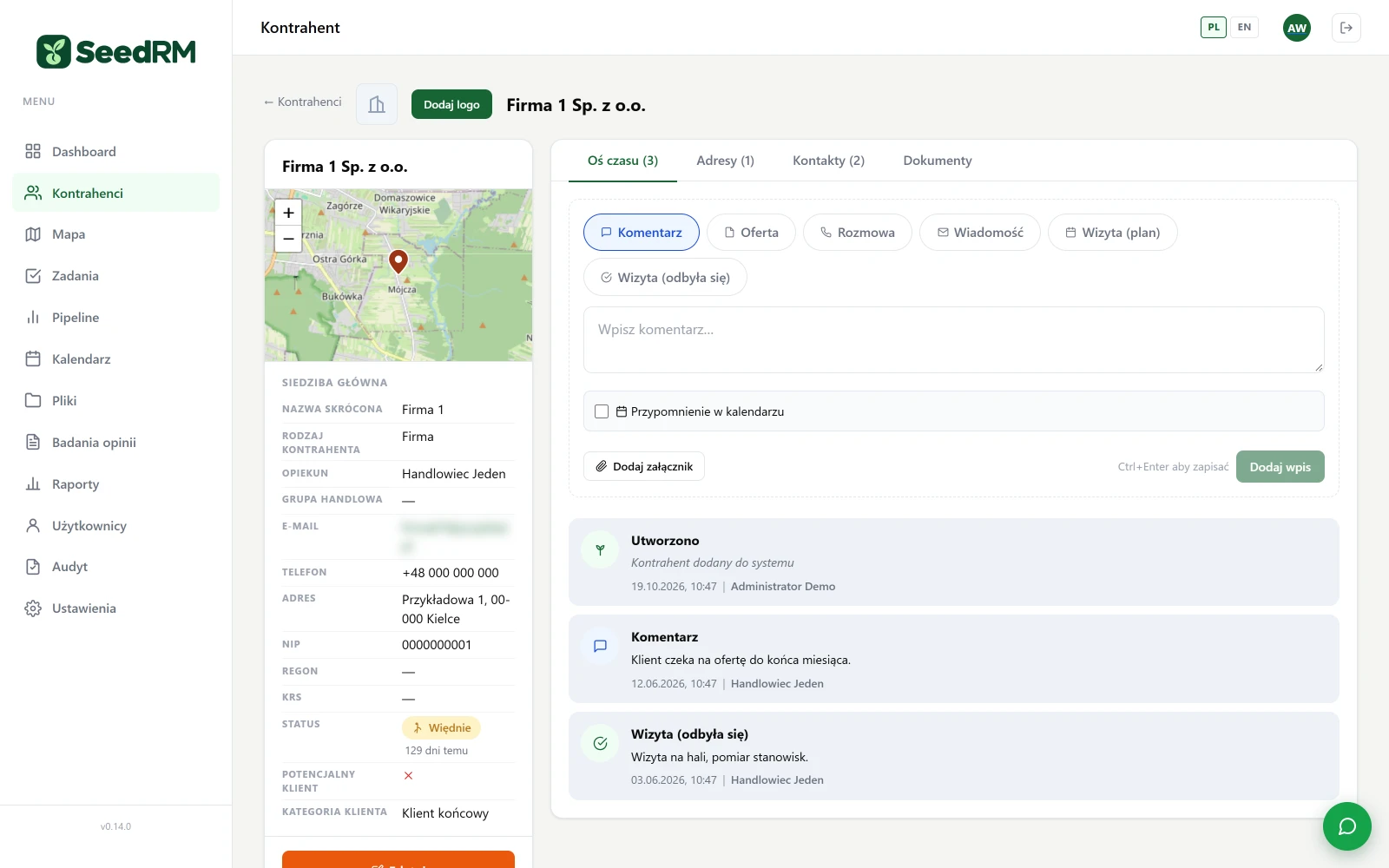
A history you don't have to search for
Comment, conversation, visit, sent e-mail — everything on the timeline with author and date. The status indicator tells you how many days have passed since the last contact and whether the relationship is “wilting”.
- Attachment to an entry a quote or a report next to the right conversation.
- Calendar reminder from a timeline entry, with one tick.
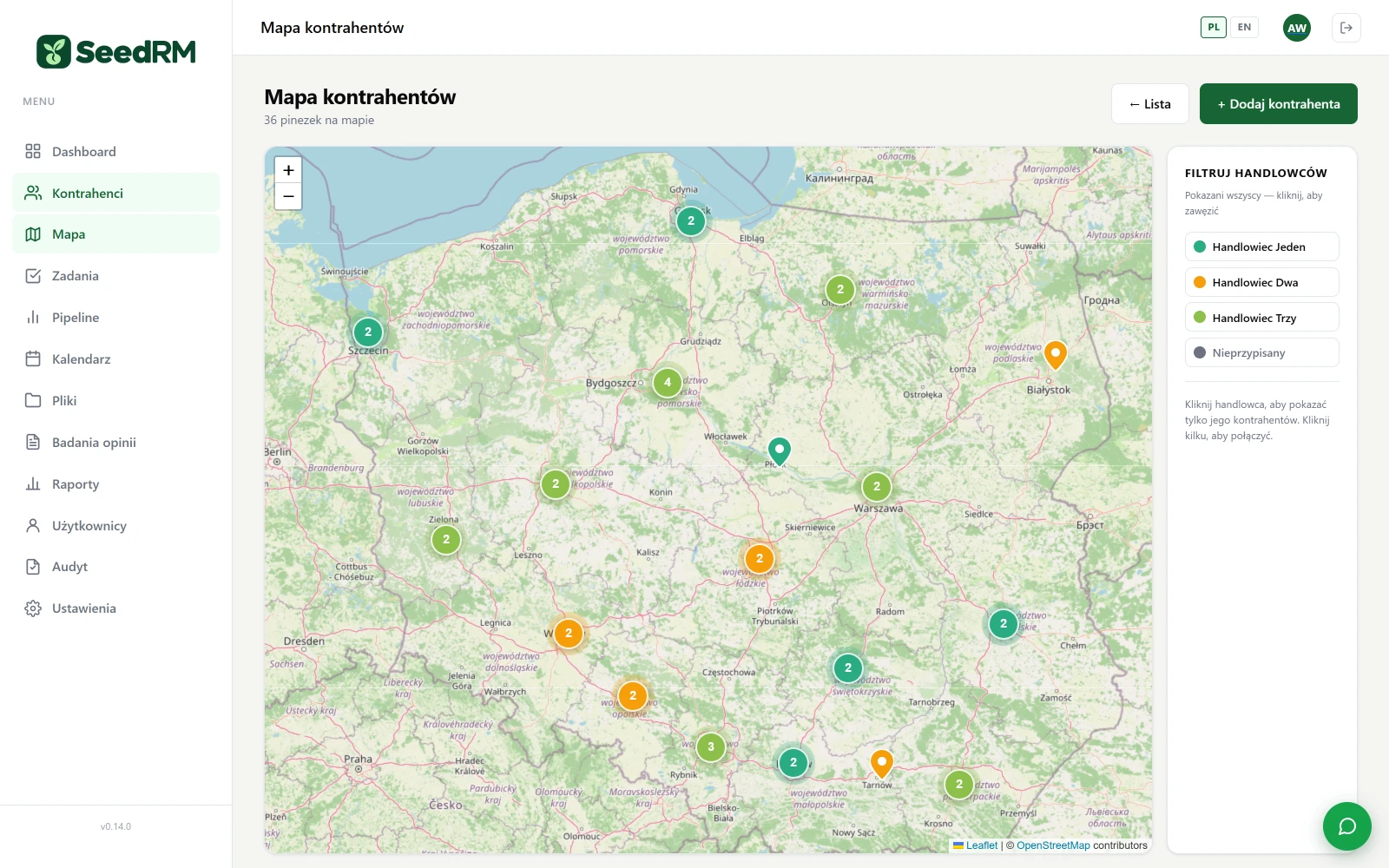
Map, reports, surveys
Three views a manager opens every week. The data in the screenshots is sample data.
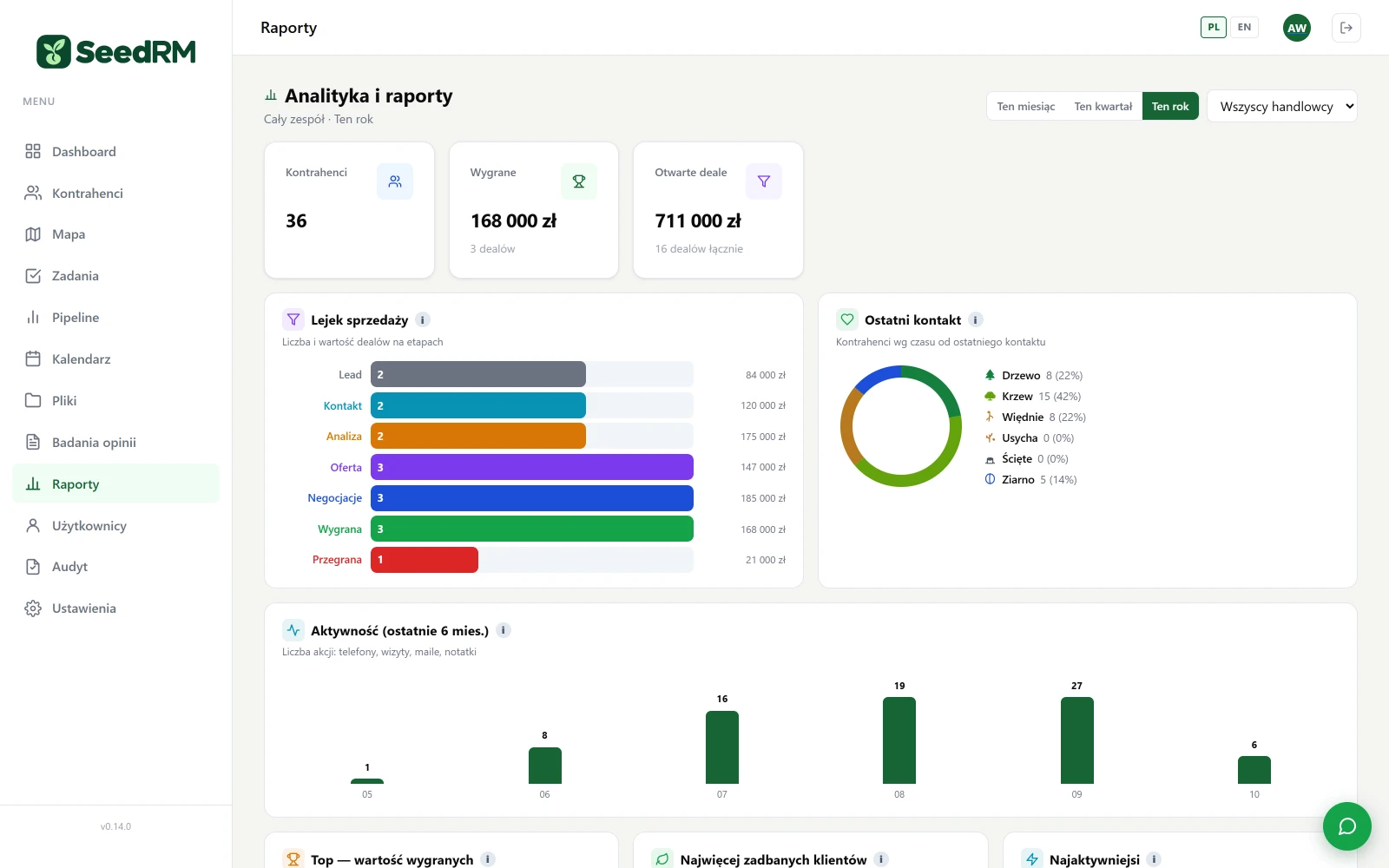
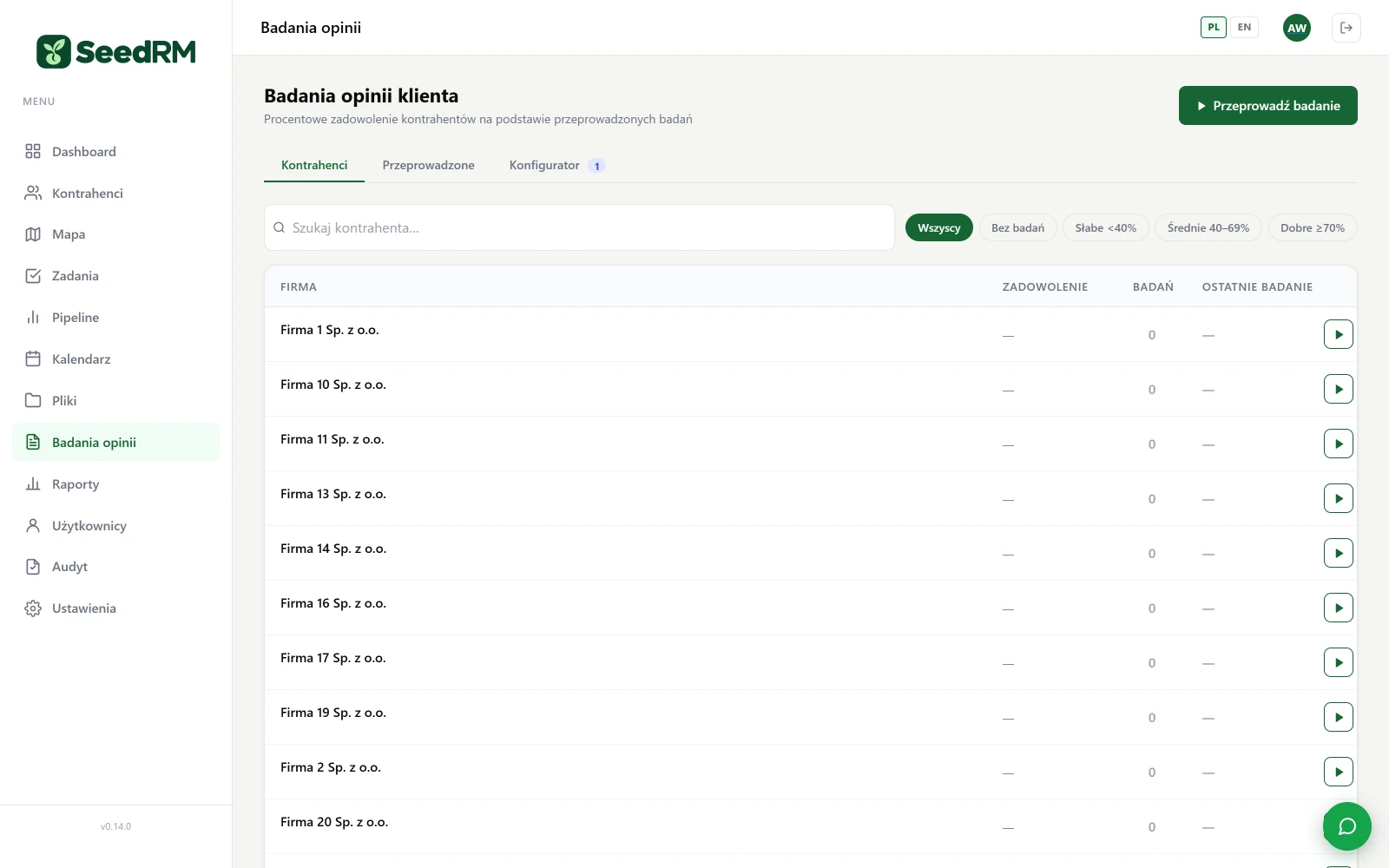
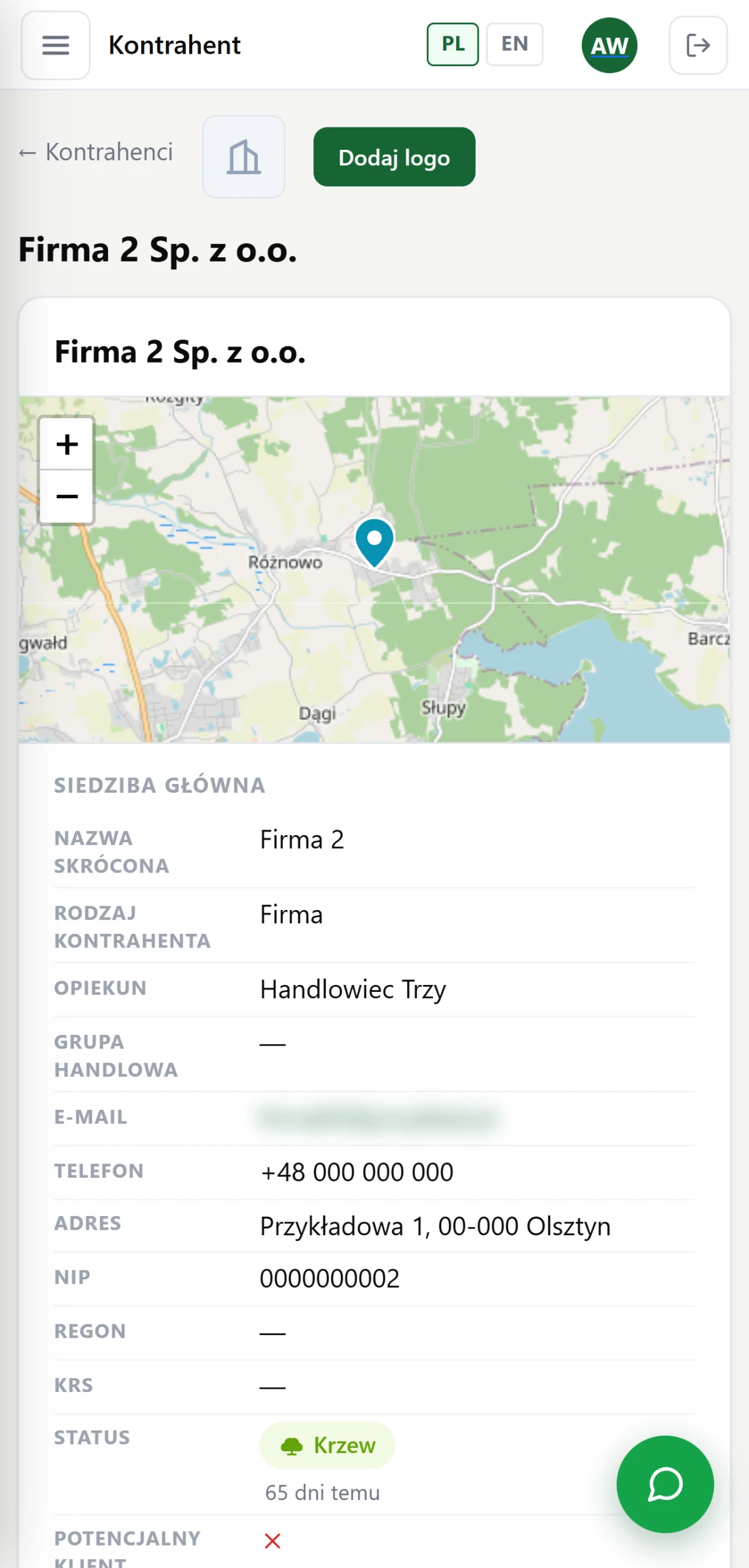
The sales rep has everything on their phone
The account record, activity timeline and pipeline work in the phone's browser with no installation. The visit note gets written in the car park, not in the evening from memory.
- No app to install company login in the browser.
- Map and navigation head office pin, one tap to start navigation.
When an off-the-shelf CRM can't capture how you sell
SeedRM is our starting point, not the limit. We build custom CRMs for companies whose sales have their own stages, documents and roles: a quote built in a configurator, a contract with several approvals, after-sales service, commissions for sales reps, serving distributors and their end customers.
What usually gets added in the custom version
- your own stages and rules for the pipeline (who can move an opportunity and when, what has to be filled in),
- document workflow: quote, contract, order, report, with numbering and approvals,
- integrations: ERP (accounts, turnover, invoices), quoting system, company calendar, telephony,
- customer portal: tickets, documents and case status on the customer's side,
- management reports: your indicators, not out-of-the-box ones.
How we do it
We start with an audit of the sales process: what the path from first contact to invoice looks like today and where information gets lost. Then a pilot with one team using the ready-made SeedRM or a draft of a new application, and only after that the full rollout. The data stays with you, the code is yours, and development after rollout is done by us or by your team. The OHS app and SmartFlow were built the same way; more about custom applications on the Applications page.
This is our proposal, not an off-the-shelf template
SeedRM in this form is in use at our clients. We can roll it out as it is, tailor the fields, reports and integrations to your process, or build from scratch when your sales work differently.
SeedRM as it is
A dedicated instance for the company, company login, accounts imported from a spreadsheet, team training.
- start in days, not months
- all modules on this page
- PL / EN
SeedRM for your process
Account and opportunity fields, reports, integration with the ERP or quoting system, your own surveys.
- sales process audit
- fields and reports tailored to you
- integrations with what you already have
Custom application
When sales has its own stages, documents and roles that an off-the-shelf CRM can't capture: we build for your process, with SeedRM as the starting point.
- your own stages and documents
- Your data, your server
- development after rollout
Questions about SeedRM
Does SeedRM integrate with our ERP?
In the ready-made version, SeedRM works stand-alone: accounts, opportunities, tasks, reports. We build ERP integration (accounts, turnover, documents) in the tailored version, after an audit, because every ERP exposes data differently.
Does a sales rep have to install an app?
No. SeedRM works in the browser on a computer and on a phone, with company login. On the phone, the account record, activity timeline and pipeline have their own layout.
What about our existing data?
We import accounts from an XLSX or CSV spreadsheet using a template with an error report. Contact history from another system is migrated as part of a tailored rollout.
Where is the data?
On a dedicated instance for your company: on our server in Poland or on yours. Exporting lists to XLSX and PDF is built into the app; a full data export is available on request.
Can the pipeline stages be changed?
The stages are fixed: lead, contact, analysis, quote, negotiation, won, lost. Other stages mean a code change, which we make in the tailored version.
Is there a service desk or service tickets?
Not in SeedRM. Tickets and after-sales support are handled by our separate service desk system; the two can share accounts.
Technical data
We agree the integration scope and configuration at the audit.
- Role
- Sales CRM for field sales teams
- Accounts
- companies, people and suppliers; NIP/REGON/KRS, multiple geolocated addresses, contact persons, logo, account owner
- Activity timeline
- comment, conversation, planned and completed visit, sent e-mail, attachments; last-contact indicator
- Pipeline
- stages lead → contact → analysis → quote → negotiation → won / lost; value, probability, close date
- Tasks and calendar
- statuses and priorities, link to the account, calendar with events from tasks, opportunities and visits
- Map
- pins in the sales reps' colours, clustering, filter by sales rep, address geocoding
- Reports
- sales rep activity, funnel, wins, monthly targets per sales rep, well-tended and neglected accounts
- Surveys
- question builder (rating, choice, text), results on the account and in a summary
- sending from the account record via the company's SMTP or the sales rep's own mailbox, signatures
- Files
- folders with permissions per user and team, preview, attachments to the account
- Permissions
- admin / manager / sales rep roles, teams, operation audit trail
- Import and export
- account import from XLSX/CSV, GUS lookup by NIP, list export to XLSX and PDF
- Languages
- Polish and English
- Rollout
- dedicated instance for the company, company login, fields and stages tailored after a sales process audit
- Quote
- after a review of the sales process
Interested? Book a demo
Tell us what you need. We'll show you how SeedRM works and prepare a quote — or pick a time for a call right away.
- A short callAbout what you need and how things look today.
- DemoSeedRM, using your own examples.
- ProposalRollout scope and quote.