

B2B platform — orders from businesses
The B2B platform is an ordering portal for your business customers: a catalogue with customer-specific prices and stock from the ERP, a basket, order approval within the customer’s company, spending limits, invoices and dispatch notes (WZ) to download, reports. Configured for your product range, with product configurators built to order.
- Customer prices from the ERP
- Product range per customer group
- Approval at the customer's company
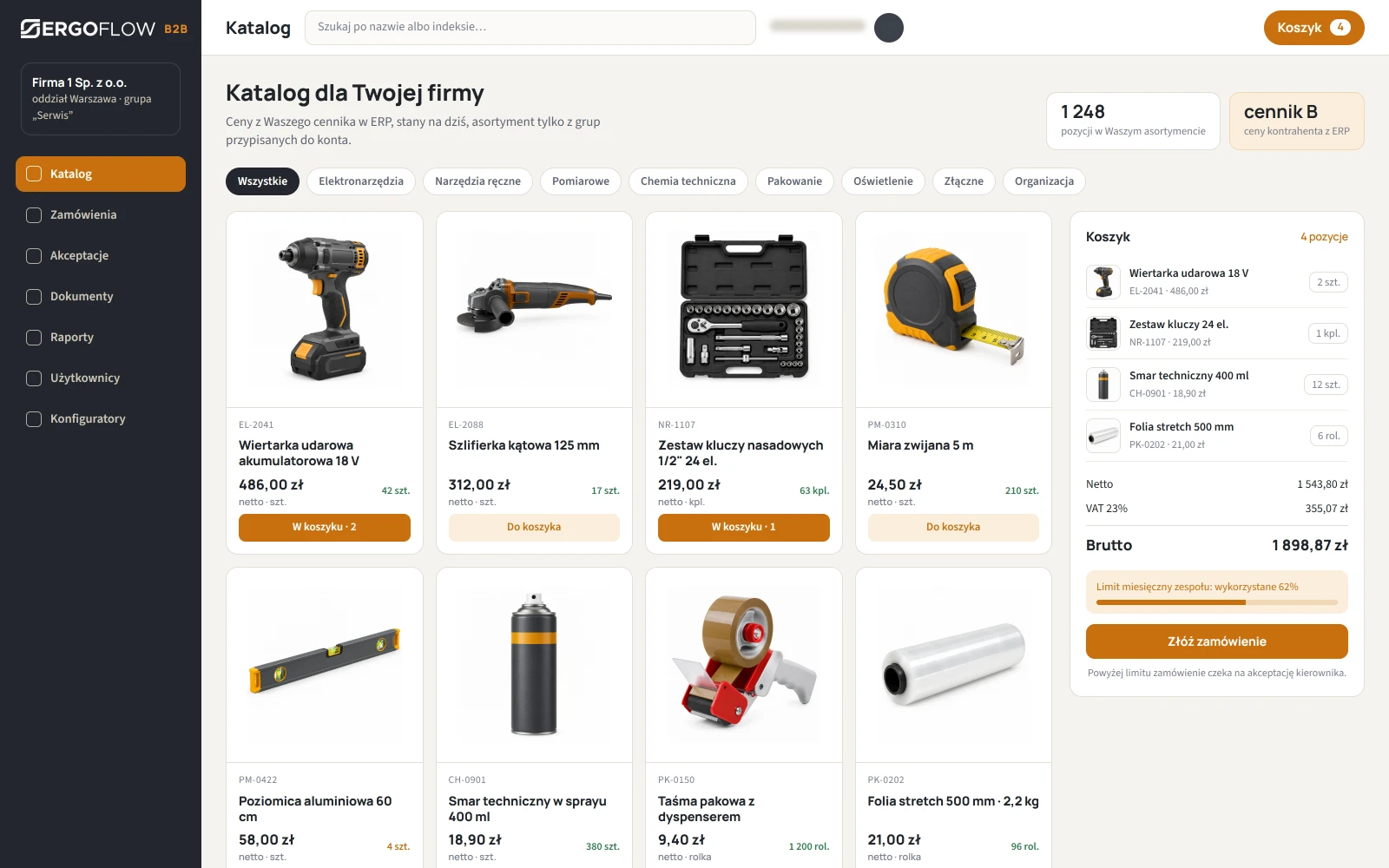
The B2B Platform replaces orders by e-mail and phone. A business customer logs in, sees only their own product range and their own prices from the ERP, places an order in a few minutes, and their company itself controls who can order and for how much. The order goes into your ERP without retyping, and invoices and delivery notes (WZ) come back to the customer on the platform.
Catalogue, roles, limits and documents work from day one. When a product isn't “off the shelf” — a printed T-shirt, a fence panel, a made-to-measure cabinet — we add a configurator that guides the customer through the choice and calculates the price live.
Key benefits
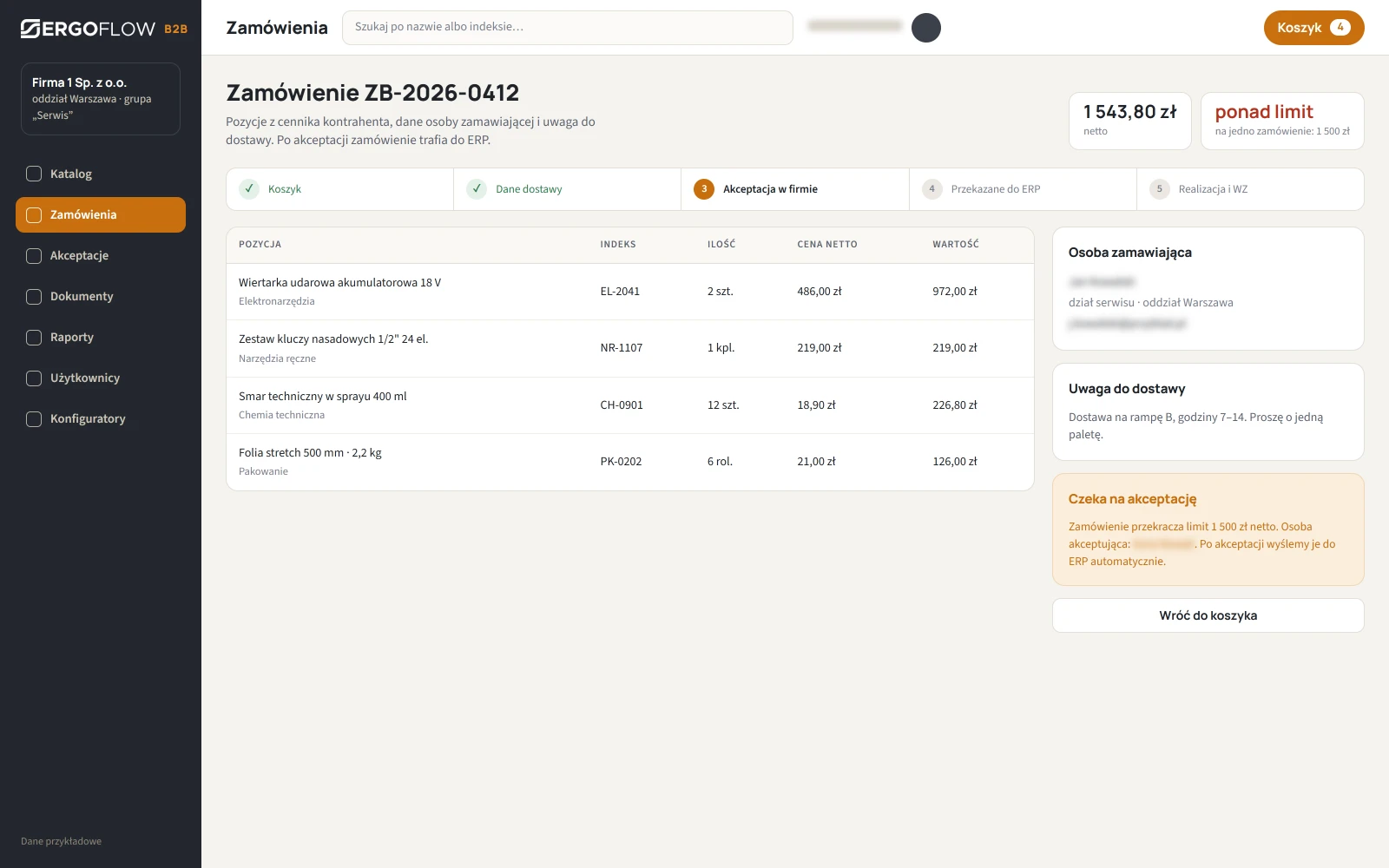
From basket to ERP without retyping
The customer places the order at their own prices, with the branch address and notes. After approval at their company, the order goes into your ERP as a document, and the status comes back to the platform.
- Price locked what the customer saw in the basket is what goes on the order.
- Status history placed, approved, in progress, shipped — no more calls asking “what's happening with my order”.
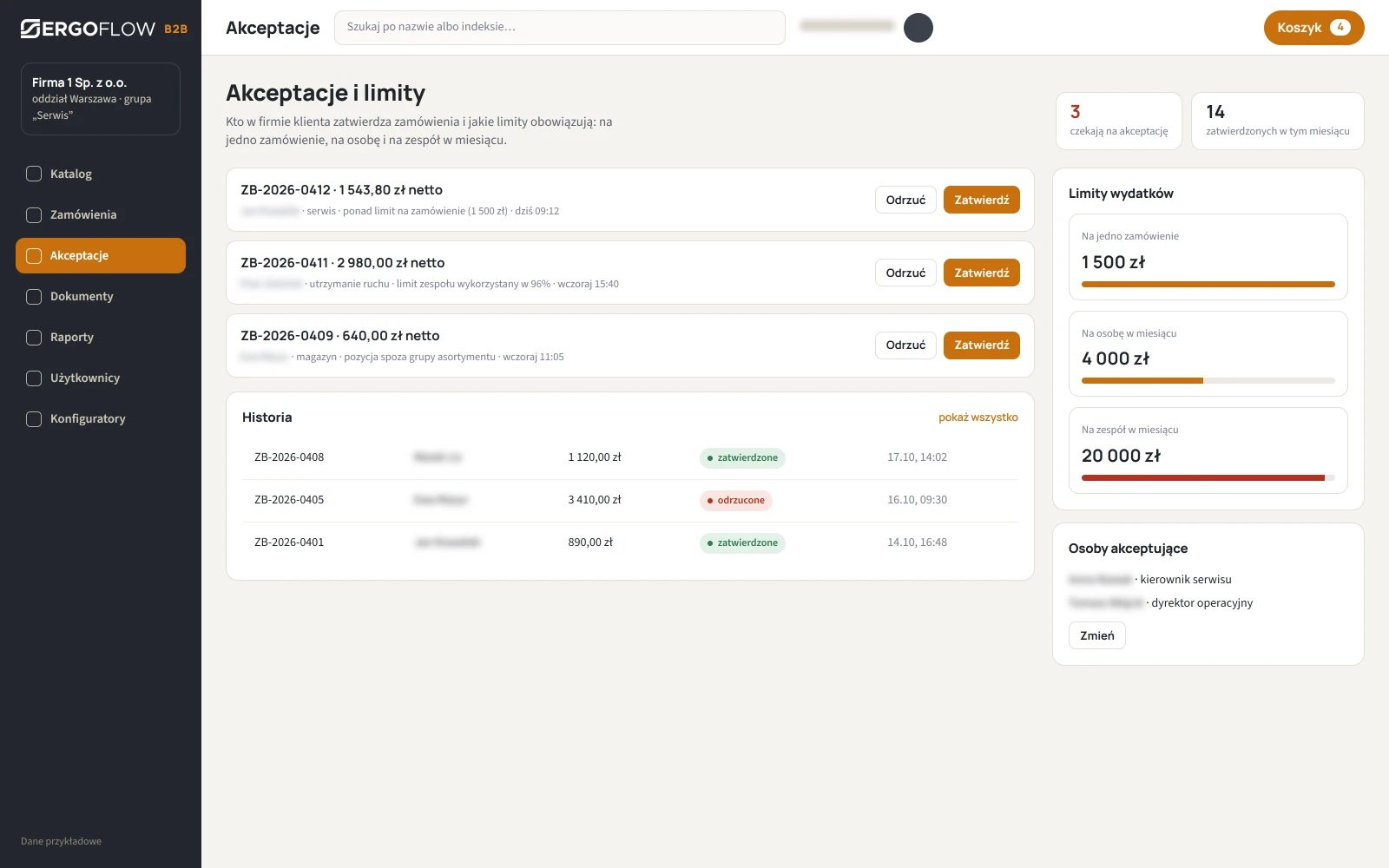
The customer's company keeps track of its own spending
The employee orders, the manager approves. A limit per order, per person and per team per month blocks overspending or routes it for approval. Your sales rep doesn't have to keep track of it.
- Roles at the customer's company orderer, approver, account administrator.
- Limit shown on the order the team's usage bar next to the order value.
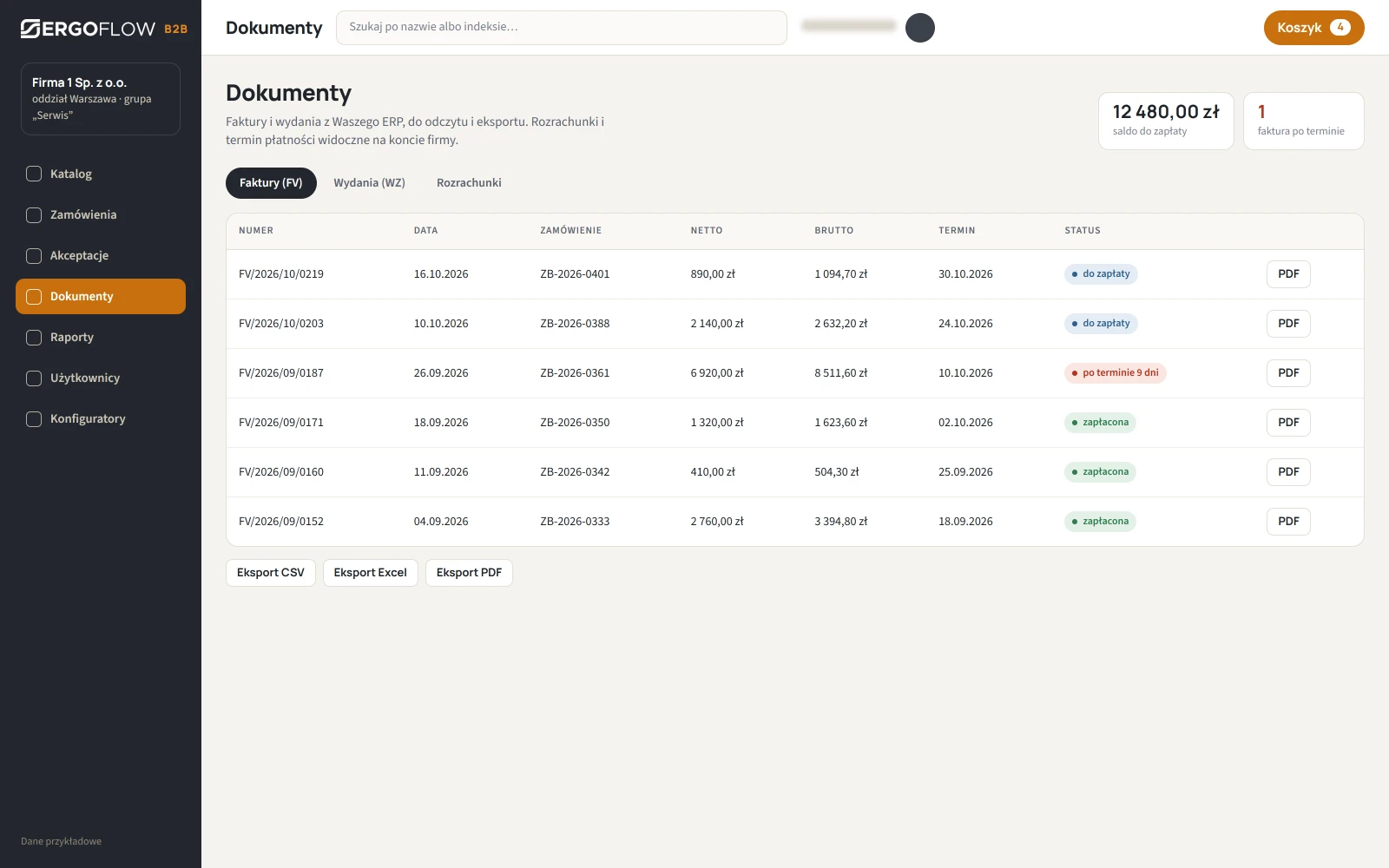
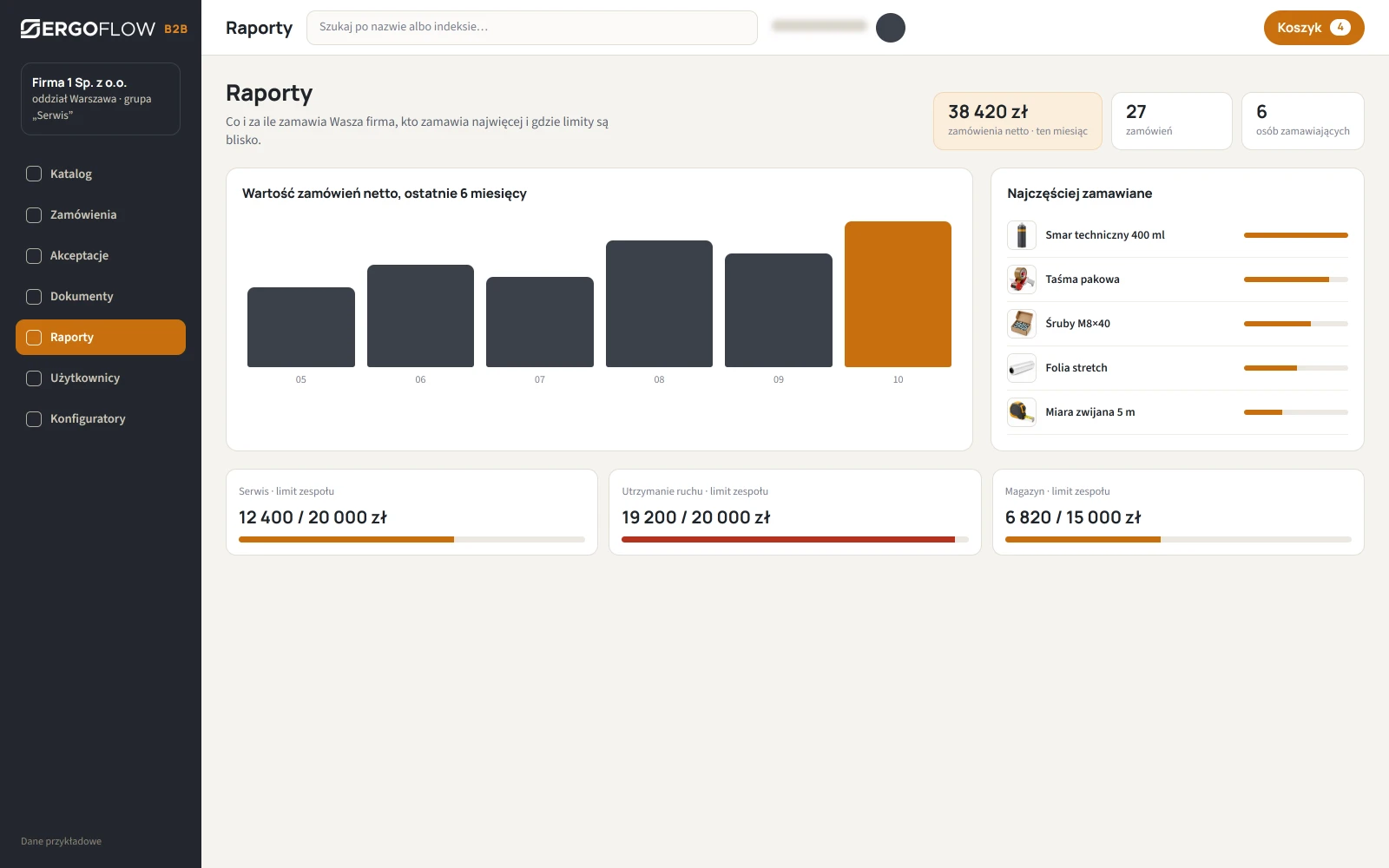
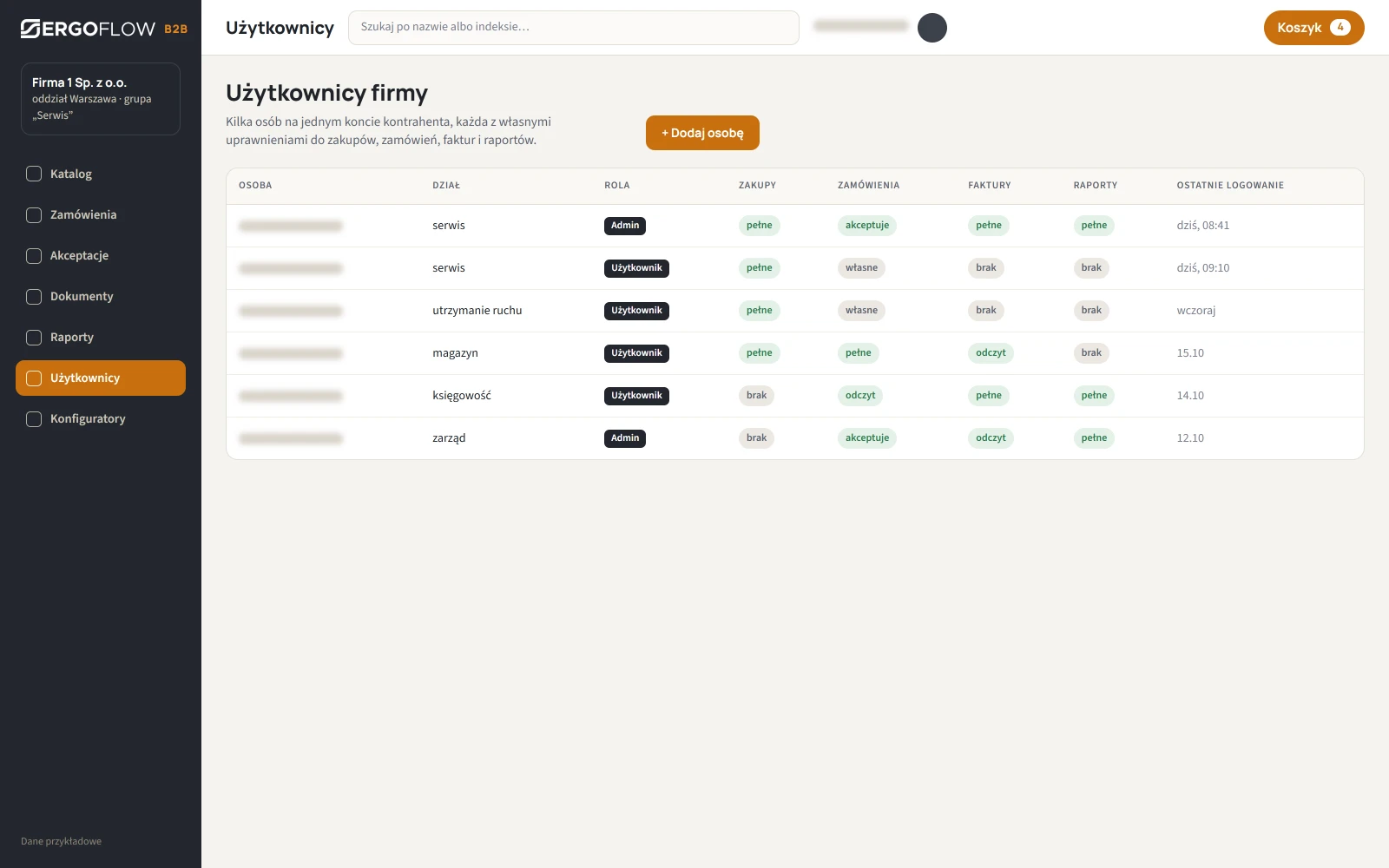
Documents, reports, users
What the customer used to get by e-mail or call about. The data in the screenshots is sample data.
We build for your product
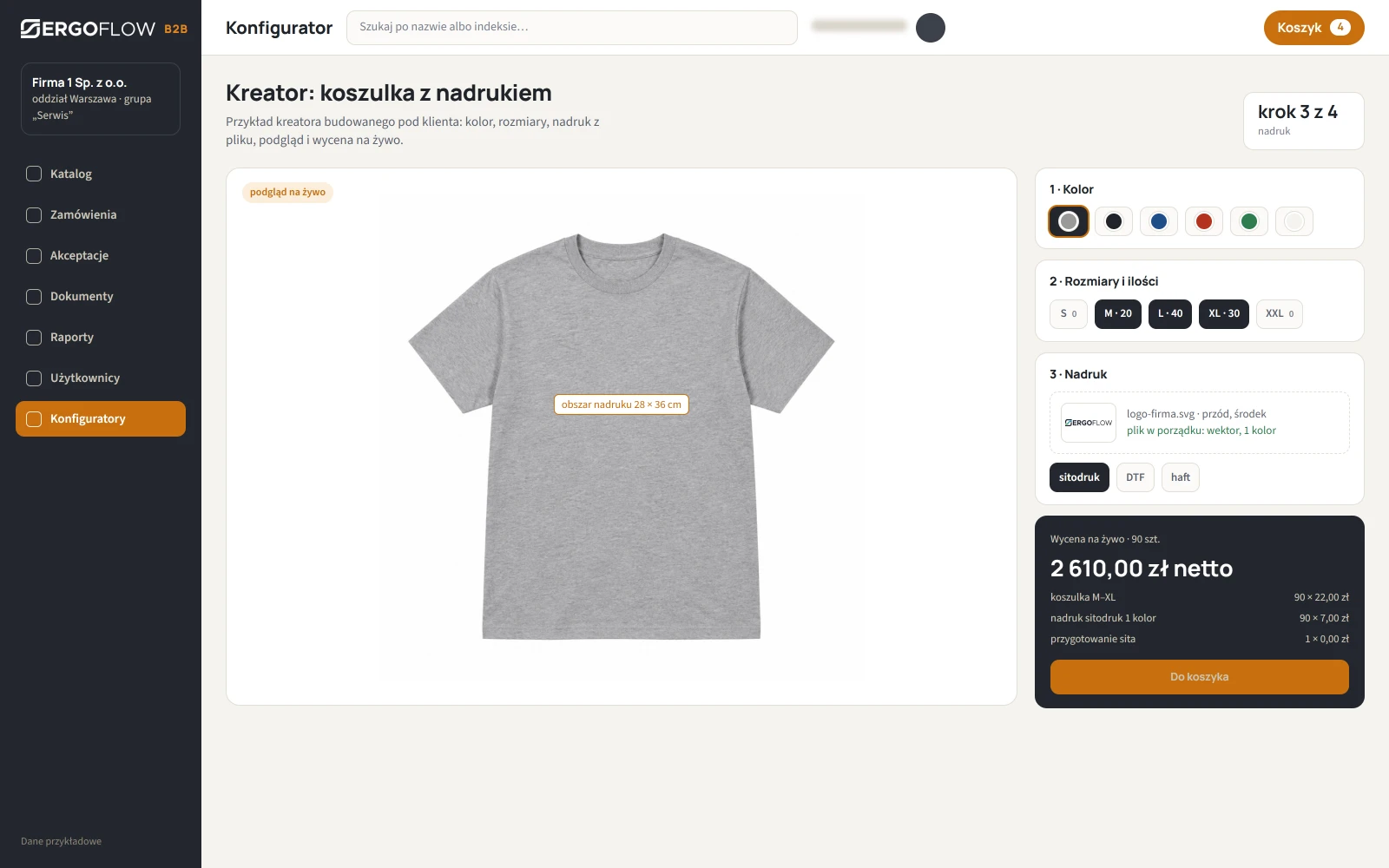
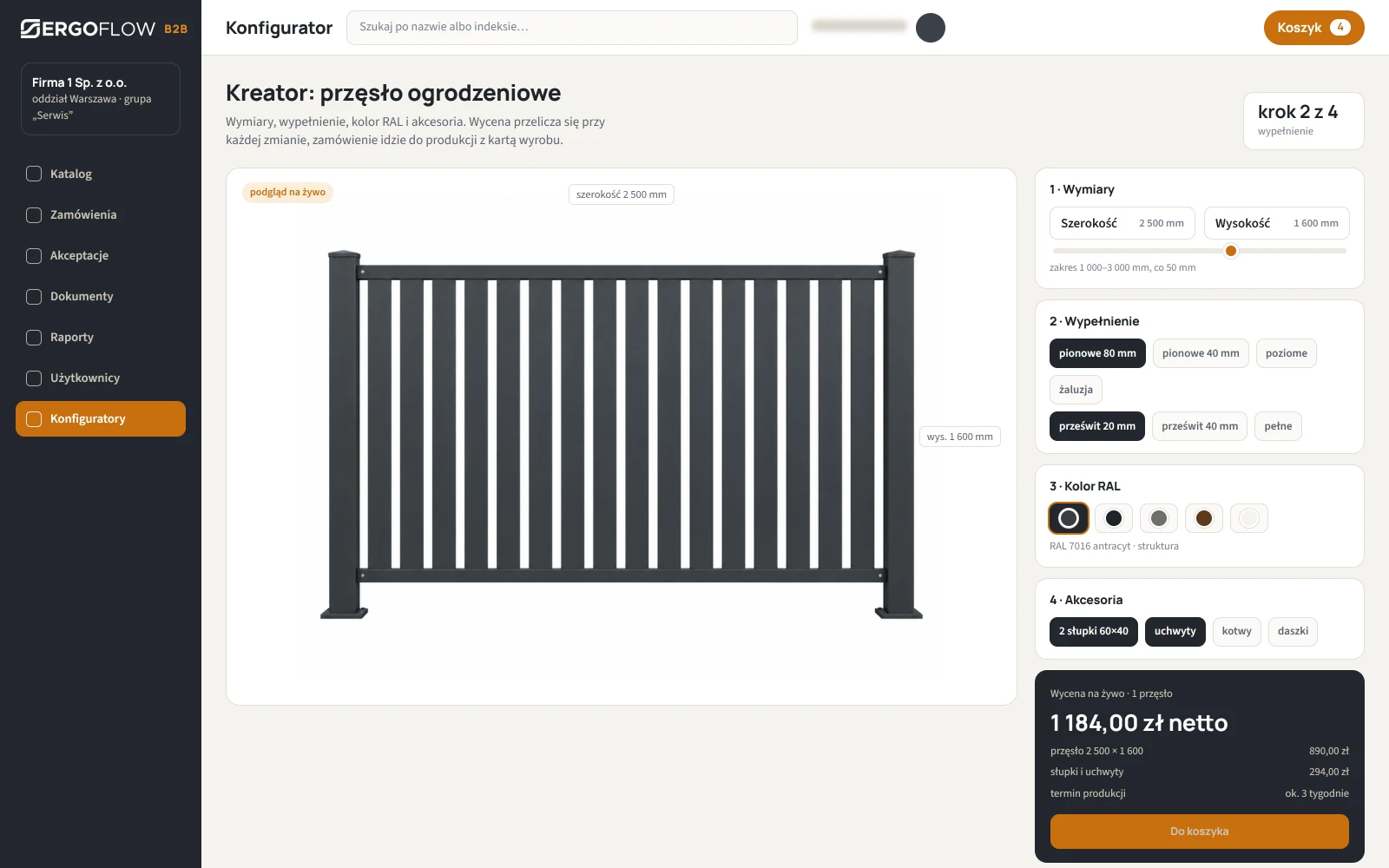
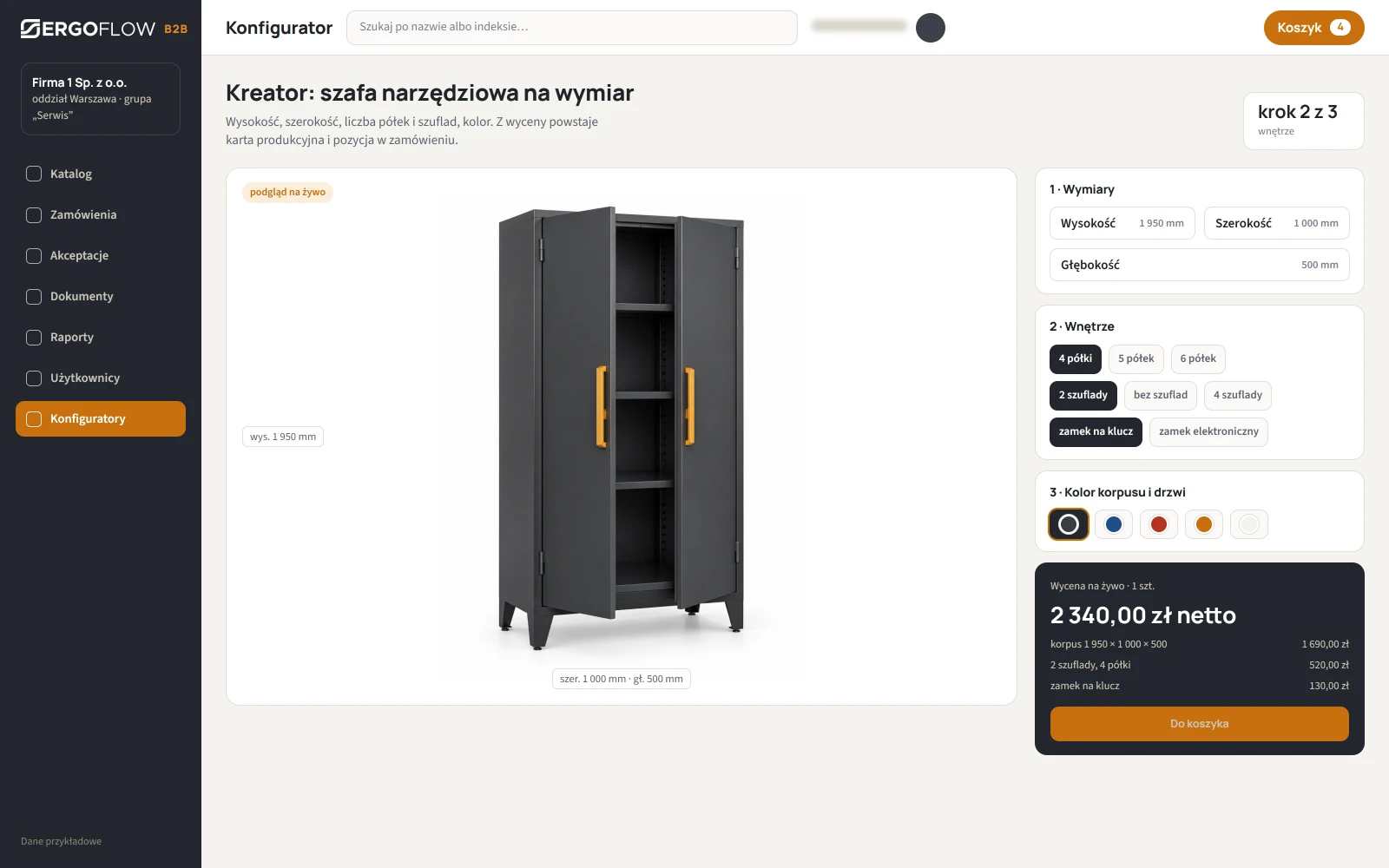
When a product isn't “off the shelf”, a catalogue is not enough. We add a configurator that guides the customer through choosing the parameters, shows a preview and calculates the price live. The item goes into the basket with the full set of parameters, and into the ERP as a work order. Below are three examples of configurators we can build for your product range; the prices in the images are sample prices.
Ordering from the shop floor, not the office
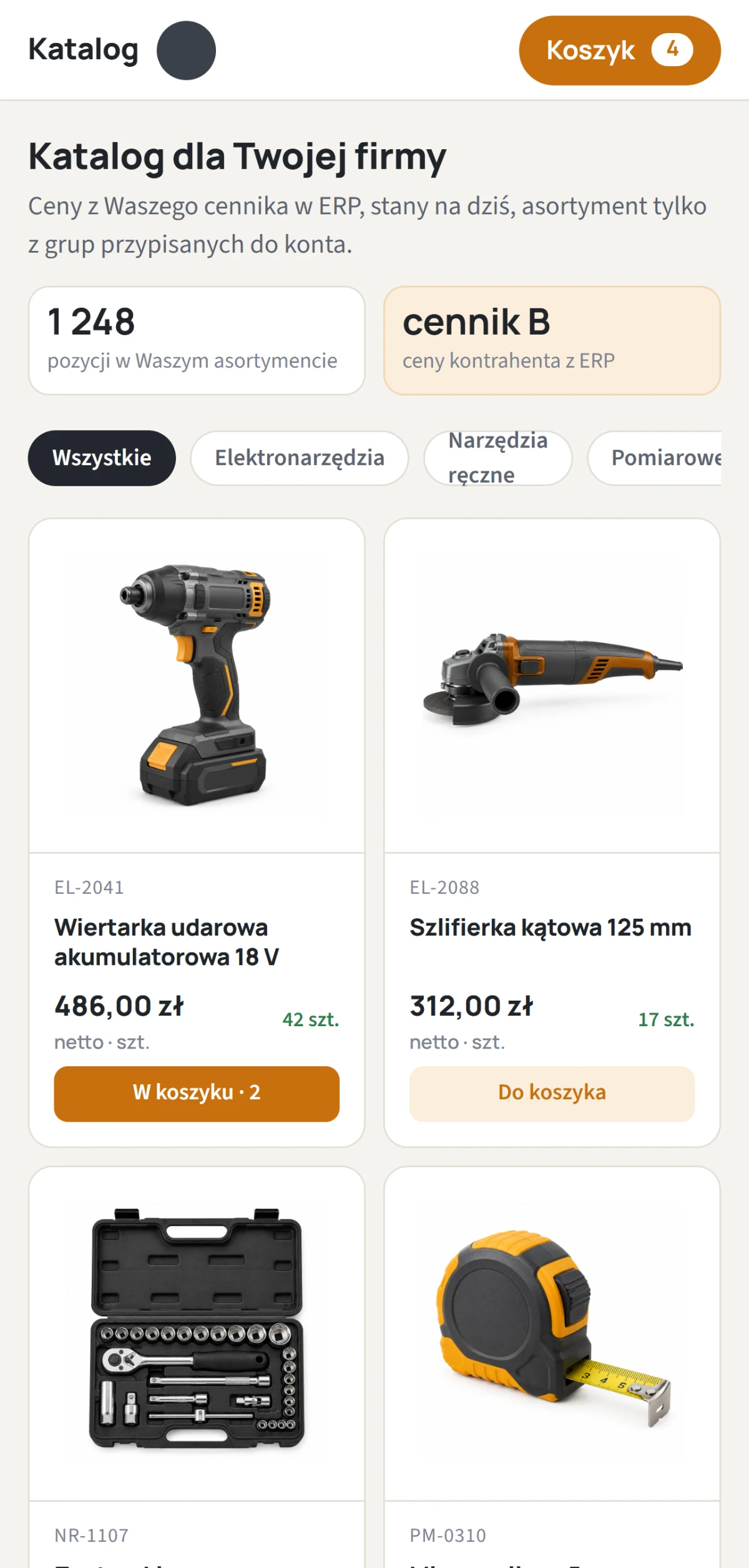
The catalogue, basket and approvals work in the phone's browser with no installation. A manager approves an order between one meeting and the next.
- No app to install login in the browser, with an account from the customer's company.
- One-tap approval from a notification on the phone.
A B2B Platform instead of order e-mails
The B2B Platform makes sense where business customers regularly order the same product range: distributors, service companies, manufacturing plants, multi-site chains. Today an order arrives by e-mail or phone, a sales rep retypes it into the ERP, and the customer calls to ask about the invoice. The portal moves this work to the customer's side, and you are left with fulfilment.
What changes after rollout
| Today | With the B2B Platform |
|---|---|
| order by e-mail, retyped into the ERP | the customer places the order, it goes into the ERP without retyping |
| price list in a spreadsheet sent to the customer | customer prices and discounts from the ERP, always up to date |
| “who at their company is allowed to order?” | roles and limits set by the customer's company |
| invoice and delivery note (WZ) on request, by e-mail | documents with the order, ready to download |
| made-to-measure product priced by hand | configurator with live pricing |
ERP integration
We write the connector for the ERP you have: customers and their price lists, stock levels, orders one way, invoices and delivery notes (WZ) the other. We have worked with Streamsoft-class systems and with customers' own databases; an ERP review is the first step of the rollout. More on how we connect systems on the Automation page.
Product configurators
A configurator is a separate module built for a specific product: parameters, the dependencies between them (the panel width limits the infill), a preview and pricing from your price list. The basket gets an item with the full set of parameters, the ERP a work order, production a specification. Examples that most often make sense: printed clothing and promotional items, fences and gates, made-to-measure furniture and cabinets, labels and packaging.
Configured for you, not out of the box
The platform is in use at our clients, with their own product range and their own ERP. Every rollout starts with a review of the product range, customer groups and ERP.
Orders and documents
Catalogue with customer prices, basket, approvals, limits, invoices and delivery notes (WZ), reports. Your company's brand and colours.
- connector to your ERP
- customer groups and price lists
- phone, no installation
With product configurators
Everything above, plus configurators for made-to-measure and printed products: parameters, preview, live pricing, specification for production.
- a configurator for each product
- pricing from your price list
- work order to the ERP
Custom portal
When B2B sales has its own rules: framework agreements, delivery schedules, multiple suppliers, serving distributors and their end customers.
- your own ordering process
- Your data, your server
- development after rollout
Questions about the B2B Platform
Which ERP does the platform work with?
We write the connector for the client's ERP. We need access to customers, price lists, stock levels and documents; an ERP review is the first step of the rollout and shows what can be done automatically and what via import.
Can a customer see other customers' prices?
No. Each customer sees their own product range and their own prices from the ERP. The customer group determines the catalogue, the customer account the prices.
Is the configurator included as standard?
No. The catalogue, orders, approvals, limits, documents and reports are standard. We build a configurator for a specific product, because each one has different parameters and different pricing.
Does the customer's employee have to install an app?
No. The platform works in the browser on a computer and on a phone. Accounts are created by an administrator on the customer's side or by you.
Where is the data?
On a dedicated instance for your company: on our server in Poland or on yours. Your ERP is the source of prices, stock levels and documents.
Is this an online shop?
No. The platform is for logged-in business customers with their own prices, approvals and limits. There is no basket for anonymous visitors and no card payments.
Technical data
We agree the integration scope and configuration at the audit.
- Role
- B2B ordering portal for a manufacturer's or distributor's business customers
- Catalogue
- product range per customer group, customer prices and discounts from the ERP, stock levels, search by name and product code
- Basket and order
- price locked in the basket, delivery address, notes, status history
- Approvals
- roles at the customer's company: orderer and approver; the order goes to the ERP after approval
- Limits
- per order, per person and per team per month; going over the limit blocks the order or routes it for approval
- Documents
- invoices and delivery notes (WZ) from the ERP with the order, balances, payment due dates
- Reports
- order value over time, most frequently ordered, limit usage; export to CSV, XLSX, PDF
- Users
- customer employee accounts with roles and limits, branches, tutorial at first login
- ERP integration
- customers, price lists, stock levels, orders, documents; connector written for the client's ERP
- Configurators
- built to order: product parameters, preview, live pricing, basket item with the full set of parameters
- Phone
- catalogue, basket and approvals in the phone's browser, no installation
- Rollout
- dedicated instance for the company, the client's brand and colours, import of the product range and customers from the ERP
- Quote
- after a review of the product range and ERP
Interested? Book a demo
Tell us what you need. We'll show you how the B2B Platform works and prepare a quote — or pick a time for a call right away.
- A short callAbout what you need and how things look today.
- DemoThe B2B Platform, using your own examples.
- ProposalRollout scope and quote.