

Clients by tax number
Enter the tax number, and the name, REGON and address are pulled from the Ministry of Finance VAT register.
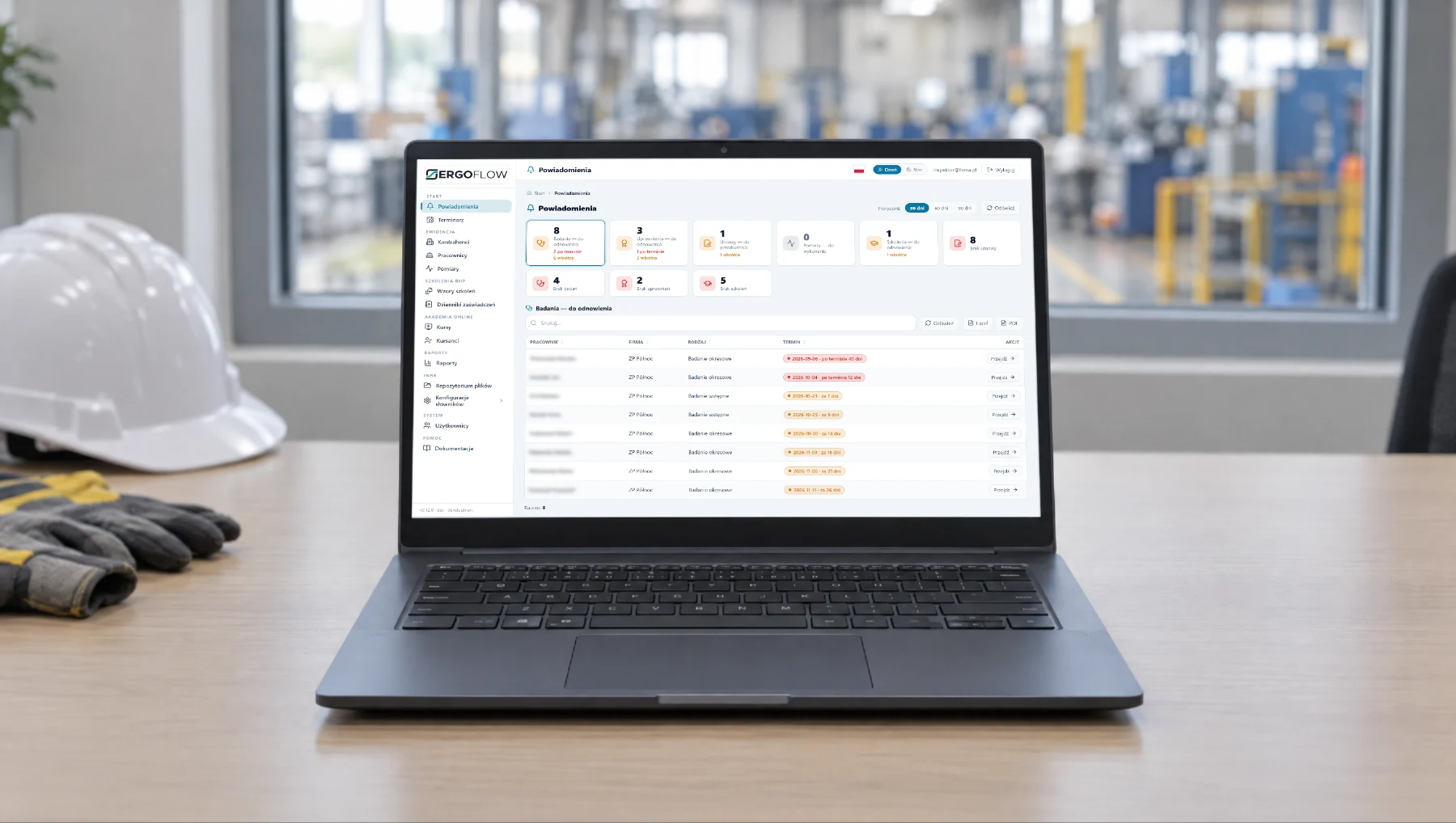
Do you run OHS for several or several dozen companies? Employee records, exam, training and qualification deadlines, training logs, measurements and reports for each client in one browser application.
Enter the tax number, and the name, REGON and address are pulled from the Ministry of Finance VAT register.
Each company has its own positions. An employee can have several.
Which training, exams and qualifications are required. The software compares them with what the employee has.
What expires in 30, 60 or 90 days, what is missing and what is ahead of you in the coming months.
Training templates with topics, logs with participants and certificate numbers.
Noise, lighting, dust, chemical agents. The date of the next measurement goes onto the dashboard.
Records of employees, training, exams, first aid and fire safety, a certificate register, an annual plan.
Reports, contracts and scans with the company or with the employee.
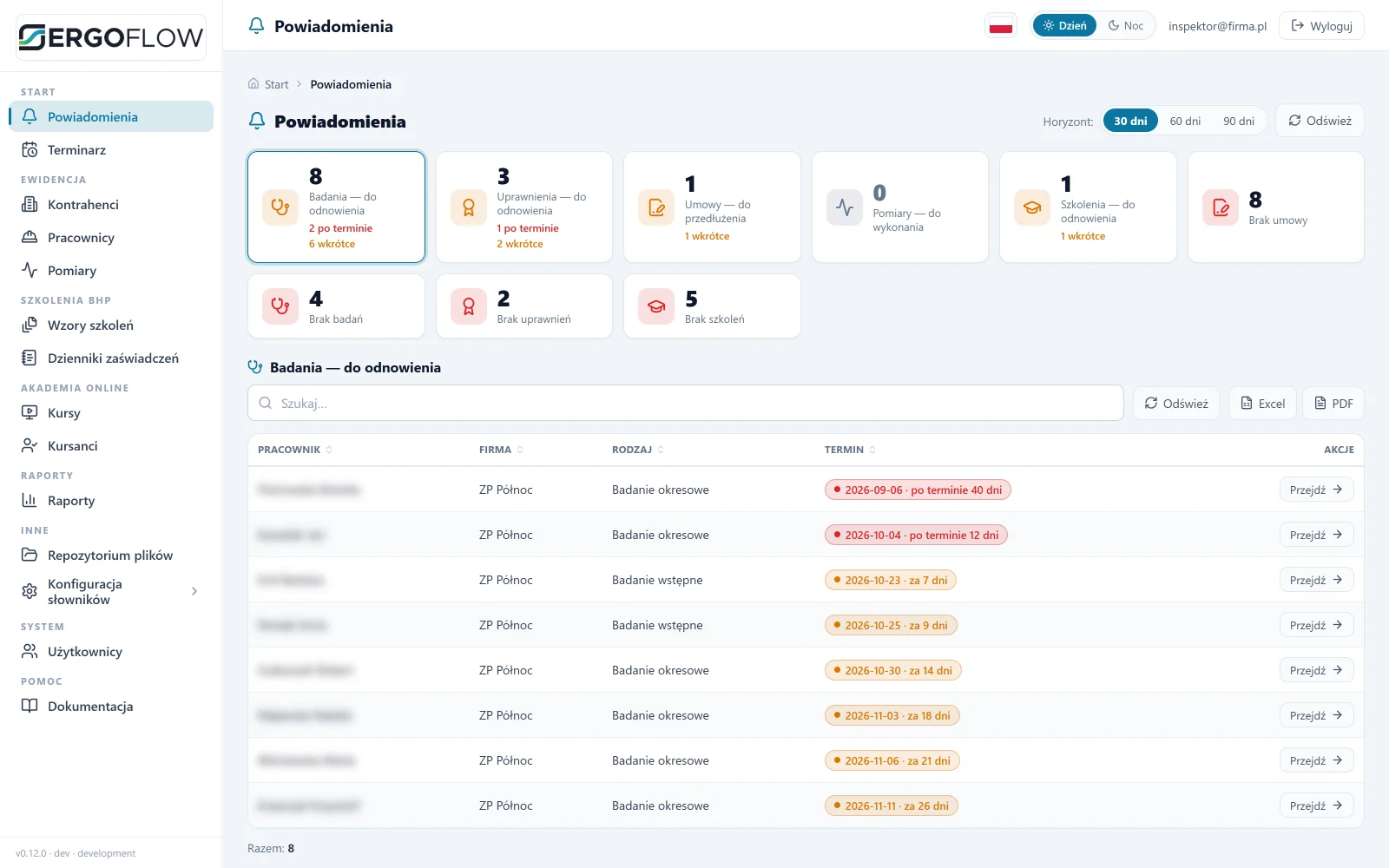
Tiles: exams, training, qualifications, contracts and measurements that expire, plus gaps. A click opens a list to export.
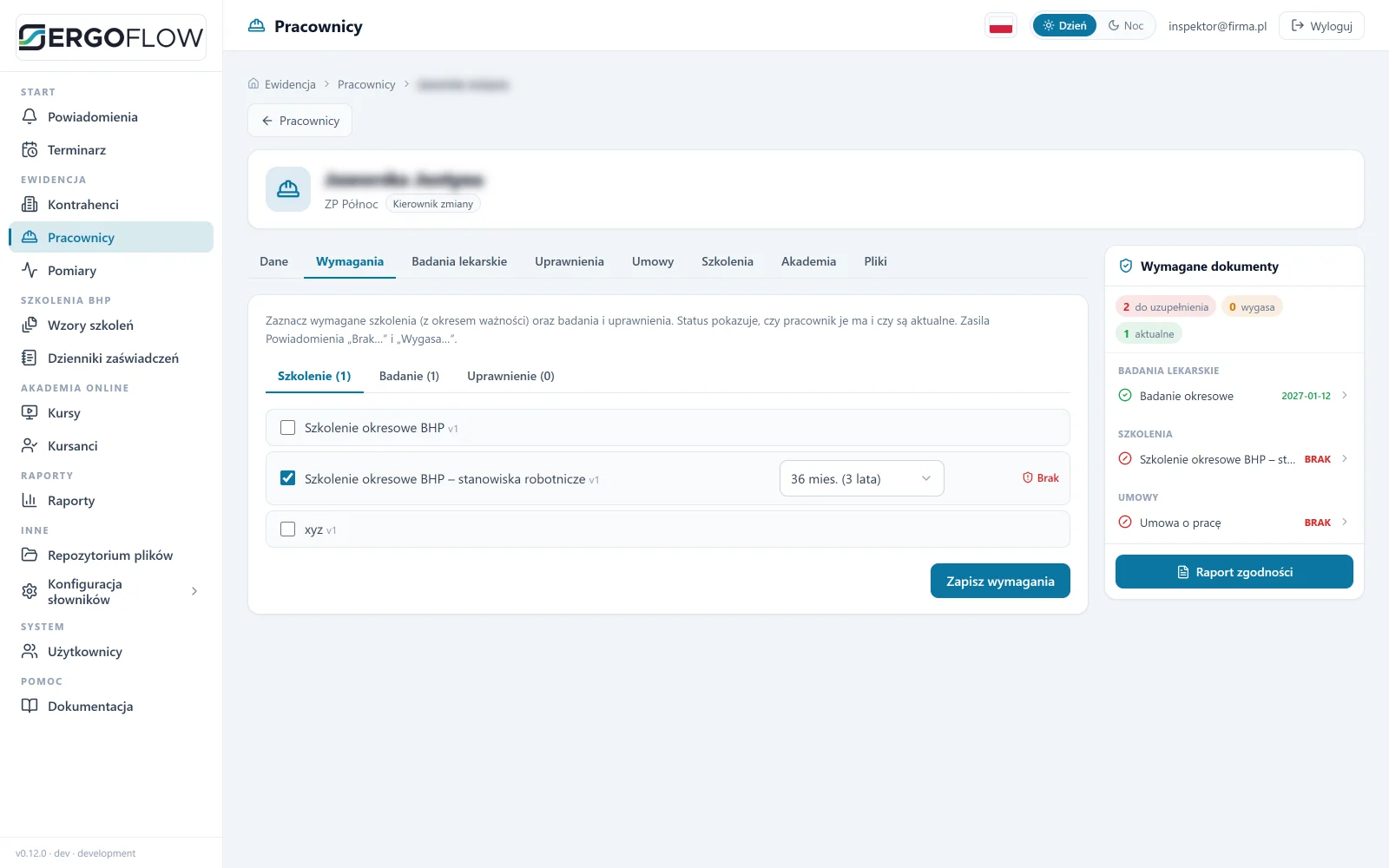
A matrix of what a position must have, with validity periods. The gaps come from it.
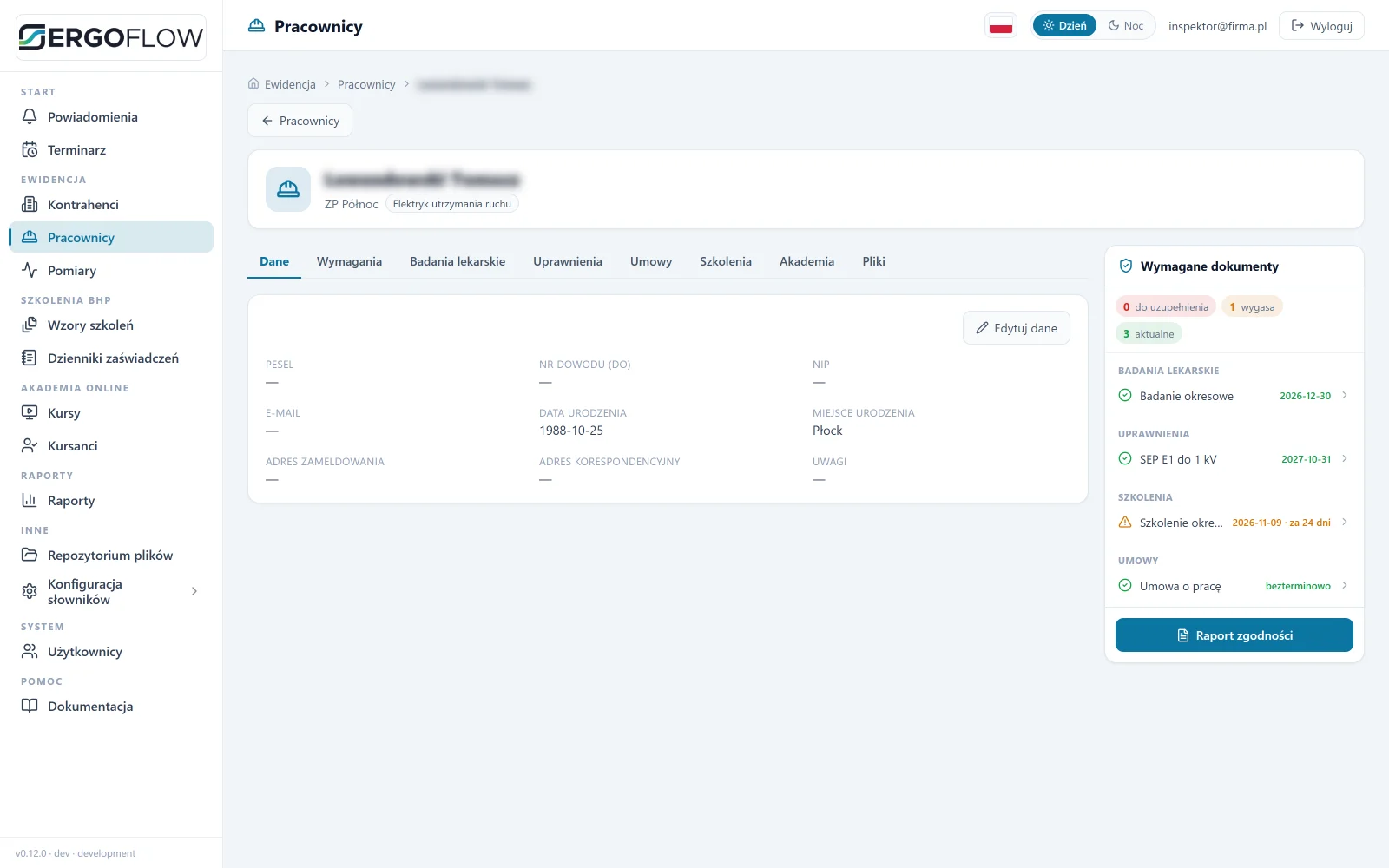
Details, requirements, exams, qualifications, contracts, training with certificate numbers and files.
There is no occupational risk assessment module. You can keep the document in the repository for the company.
There is no accident register and no accident reports. You can attach scans to the company's files.
It counts deadlines and shows gaps. Decisions, instruction and inspections stay with you.
Yes. Each client company is a contractor with its own positions and employees, and lists, the dashboard and reports have a company filter. One account serves all clients.
Yes, the multi-company mode was built for exactly such teams: records for each client, deadlines, training logs and reports to hand over to the client.
After you enter the tax number (NIP), the name, REGON and address are pulled from the Polish Ministry of Finance VAT register. You add the rest, such as the contact person and notes, yourself.
Records of employees, training, medical exams, first aid and fire safety, a certificate register and an annual plan. Each report exports to Excel and PDF with the same columns as on screen.
Yes. You create training templates with topics, and from them logs with participants and certificate numbers. Participants appear on the employee card automatically.
Yes. The administrator creates accounts and grants access to modules, for example only training or reports.
Yes, it is a web application with no installation. The interface is in Polish and English, in a light or dark theme.
We prepare a quote after a short review: it depends on the number of companies and employees and whether online training or a shop-floor kiosk is added.
Deadlines, regulations and practice. Posts with the legal basis.
Online OHS training can be bought as a ready course or run on your own platform. How they differ, when each makes sense and what the regulations say.
An external inspector tracks deadlines not in one company but for all clients at once. What they need from OHS software so they do not live in a dozen spreadsheets.
A team leader, foreman, manager and the employer themselves take a different periodic training from employees in blue-collar positions. What it covers, when the first one is due and how many years until the next.
Training, medical examinations, PPE, workwear, PIP inspections. A new post every week.
The presentation takes fifteen minutes. We show the dashboard, the records and a client report.